Should I give my toddler an iPad or tablet?
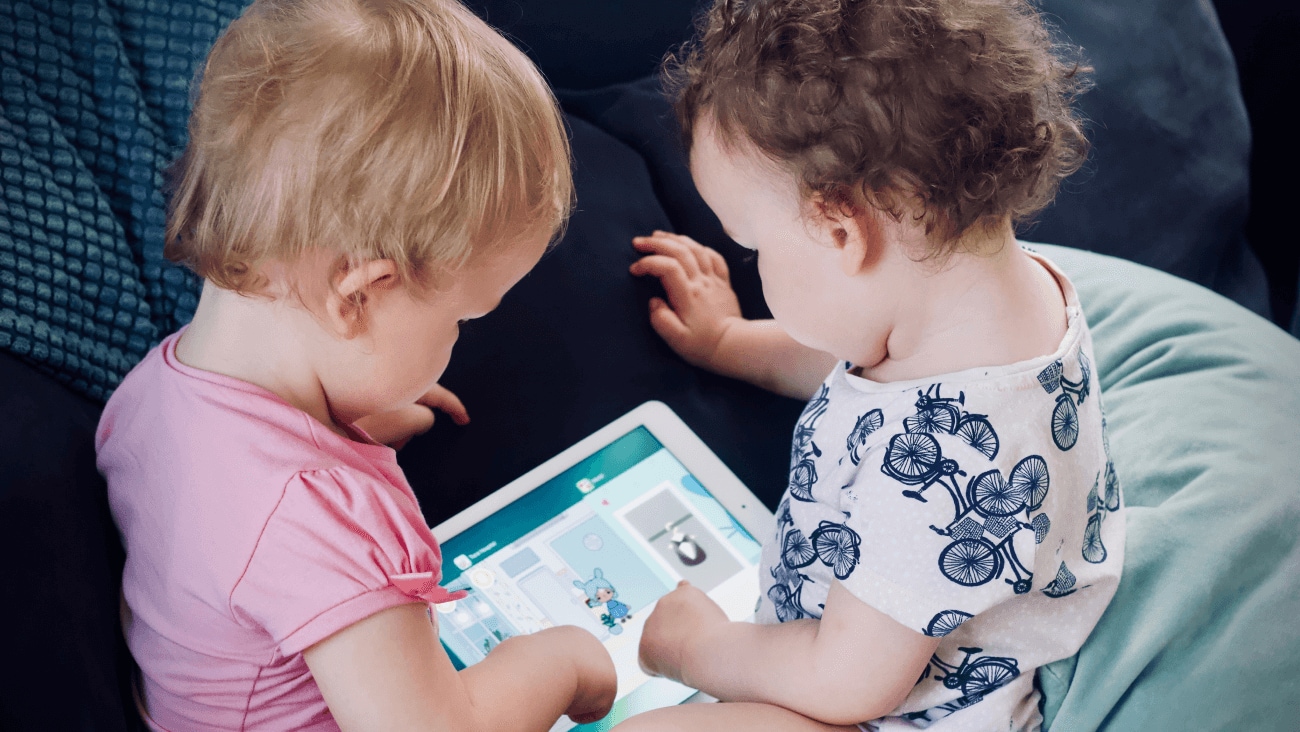
Image credit: iStock
Some parents will tell you they’re the perfect solution. But how young is too young for your kid to have a tablet? We take a look.
We look at some evidence and showcase the best education apps that will keep your kids entertained.
Handing over the tablet to your kids seems like the perfect trade off. Your kids love the games, activities, YouTube clips and episodes of their favourite shows, and you get to enjoy those precious few minutes of peace and quiet that come with them being occupied.
Why kids love tablets
Simply put, tablets are super simple to use. Small hands don’t have to worry about deciphering a keyboard or trackpad. Instead, the actions — swipe, tap, pinch —mirror those that we make in real-life.
They’re the perfect way to explore new worlds in games, learn with educational apps, watch entertaining programming and study pictures of their favourite animals.
Does using a tablet affect development?
So, are tablets going to turn our children into uber-geeky whiz kids, or are they transforming them into zombies? It really depends on what study you look at and who you ask.
In some research, screens have been linked to all sorts of positive outcomes for kids, like increased empathy, literary and problem-solving skills.
At a Snapdragons nursery in Bath in the UK, The Guardian Online discovered that using an iPad was a vital part of each child’s day and crucial to their development. Lyndsey Tanner, the nursery’s branch manager, says that not one parent has ever expressed a problem with their children using iPads in the nursery.
"I get really cross when people say that iPads are a sedentary activity.” she told The Guardian.
“Actually, do you know what, come and spend a day with me and I'll prove to you how wrong you are. It is the future, and it enhances their learning massively.
“It has never replaced any more traditional teaching methods we use. It is just another toy in the box.”
In other studies, the findings are a little more concerning. These show that too much screen time can cause developmental delays around language, social skills and motor skills.
So, while letting the tablet babysit your kid while you catch up on chores (or the latest match on Optus Sport) might be okay once in a while, it definitely shouldn’t be a regular thing.
Ultimately though, the effect on your child’s development isn’t just defined by how long they use the tablet, but also how they’re interacting with it. By picking the right apps and keeping an eye on how long they’re playing for, you’re ensuring your little one gets the most from their screen time.
"I have seen so many silly apps where the kid isn't accomplishing anything meaningful," Kathy Hirsh-Pasek, a professor of psychology at Temple University, told CNN Business.
"But there are some options where children can become musical composers, artists and designers and write their own narrative.”
“How wonderful is it to let them be creative and explorers? It's meaningful to kids because it lets them have their own voice."
Setting limits for screen time
Of course, eventually the time comes when the fun has to stop, the screen has to be turned off and our tech-savvy kids need to rejoin the real world.
If quiet talks or stern ultimatums haven’t got through to your little ones, there is an alternative. Optus Pause shuts off internet access and gives them a digital breather, meaning that you can control when your kids are online, and how long they are online.
That opens up time that would have been previously spent on the tablet, into time talking, exploring the outdoors, putting on a talent show. Basically…time being kids.
Want to press pause on your digital distractions? Check out Optus Pause.
What’s the right age for kids to have a tablet?
As a parent, it’s natural to worry (and worry, then worry some more) about doing what’s best for your kids. And it’s absolutely worth questioning how young is too young to have a tablet —
although what the experts are saying might surprise you.
If you ask the World Health Organisation, they reckon that children under the age of two should have absolutely no sedentary screen time.
None. Nada. Zero.
Of course, that’s good in theory. But we all know that having absolutely no screen time is a tough proposition — and what parent hasn’t popped on an episode of Bluey to keep their little one
occupied while changing their nappy?
For those aged two to four, the WHO recommends no more than one hour each day.
You have to think about it like dessert," Kathy Hirsh-Pasek, told CNN Business.
"It won't kill you, and you can have a nice relationship with strawberry ice cream. But you don't want to substitute it for dinner, or real interaction."
What sort of tablet should you get your little one?
There’s a good reason why “iPad” has become shorthand for “tablet”. It’s speedy, reliable and has an unrivalled selection of quality educational apps to help your kids develop —and have fun while they’re doing it. But they do come at price (and we all know that little hands can easily drop things), so make sure you invest in a sturdy case.
Amazon Fire
If you’re looking for something a little more on the inexpensive side, Amazon Fire has plenty of positives. Fires have strong parental controls, a simple interface and heaps of kid-specific content. Best of all, their Kids Edition boasts a sturdy rubber case and a two-year, no-questions-asked guarantee.
Samsung Galaxy Tab and Android tablets
With a huge selection of apps, Android gives you the ultimate in freedom, with some of them coming in at a more affordable price than the iPad. A word of warning though: we recommend installing some parental control software to filter apps and disable in-app purchases.
Plus, you can potentially (if they’re available) pick up fantastic devices like the Samsung Galaxy Tab A7 for as little as $5 p/month* when you add it to an Optus Data SIM plan, and the Samsung Galaxy Tab A10.1 for as little $6 p/month*, when they’re in stock and available. So, it’s certainly worth shopping around, because a Samsung tablet’s not bad for the cost of a school lunch.
Some of our favourite educational apps and games
If you look through your device’s app store, you’ll find thousands upon thousands of app aimed at kids — some educational, others…less so. These five are some of our favourites, hitting the right mix of learning and fun.
Tic Toc Time
Help teach your child how to tell the time with this engaging app, starring a cute and clever squirrel.
Prodigy
Who knew that maths and magic could be such a great mix? In this app, kids create fantasy characters, then go on mythical quests and battle enemies — all through the power of numbers
Sago Mini World: Kids Games
Featuring over 35 educational games tailor-made for preschoolers, there’s lots to love about this app.
ABC Reading Egg
Created by the ABC to help kids learn to read and prepare for school, this app teaches essential literary skills.
Khan Academy Kids
Geared for children aged two to eight, this app is packed with cutesy
characters, along with activities and games that will get little brains learning.
We know we’re biased, and it might be a tough sell for a toddler, but embedding healthy habits early might be beneficial for them.
We don’t recommend they dive right in to a Tabata workout unsupervised, but they might like to explore the Barclay’s FA Women’s Super League for example, or start getting excited for the FIFA Women’s World Cup in 2023.
It’s never too early to learn
A young child’s mind is like a sponge, or even a hungry, hungry caterpillar. The more opportunities you give them to learn, the better – especially if you do it with the right devices, guidance and advice.
Explore our range of tablets and find the one that’s right for you, then keep your family together with the Optus Family Mobile Plan or Family Home Internet Plan.
*Device prices accurate at the time of writing and subject to change.
 Share on Facebook
 Share on Twitter
 Share on LinkedIn
EOFY scams: how to stay safe
7 October 2026
Stay safe this EOFY season – protect yourself from EOFY scams and read up on the tactics of scammers.
Optus Digital Thumbprint teams up with Hoops 4 Health to keep young people safe online
2 July 2026
Optus Digital Thumbprint and Supercars star Chaz Mostert helped deliver a Hoops 4 Health session in the Top End, empowering...
Donate Your Data. Help Change Lives.
23 February 2026
When people think of hardship, they don’t always picture Australia’s Northern Beaches. But behind the coastal postcard lies...