The five pieces of gear that all Twitch streamers should have
Twitch is probably the first thing that comes to mind when the word “game streaming” is heard. It’s the largest online gaming platform with millions of subscribers but best off all - it’s free.
Yet to become a Twitch streamer with your own channel, playing games is only one component and even then - being good at gaming is not even a requirement. If you are seriously interested in starting your own channel on Twitch, you may want to think about investing in some devices that will help take your streaming to a whole new level.
Here are the five core pieces of equipment we think all streamers need.
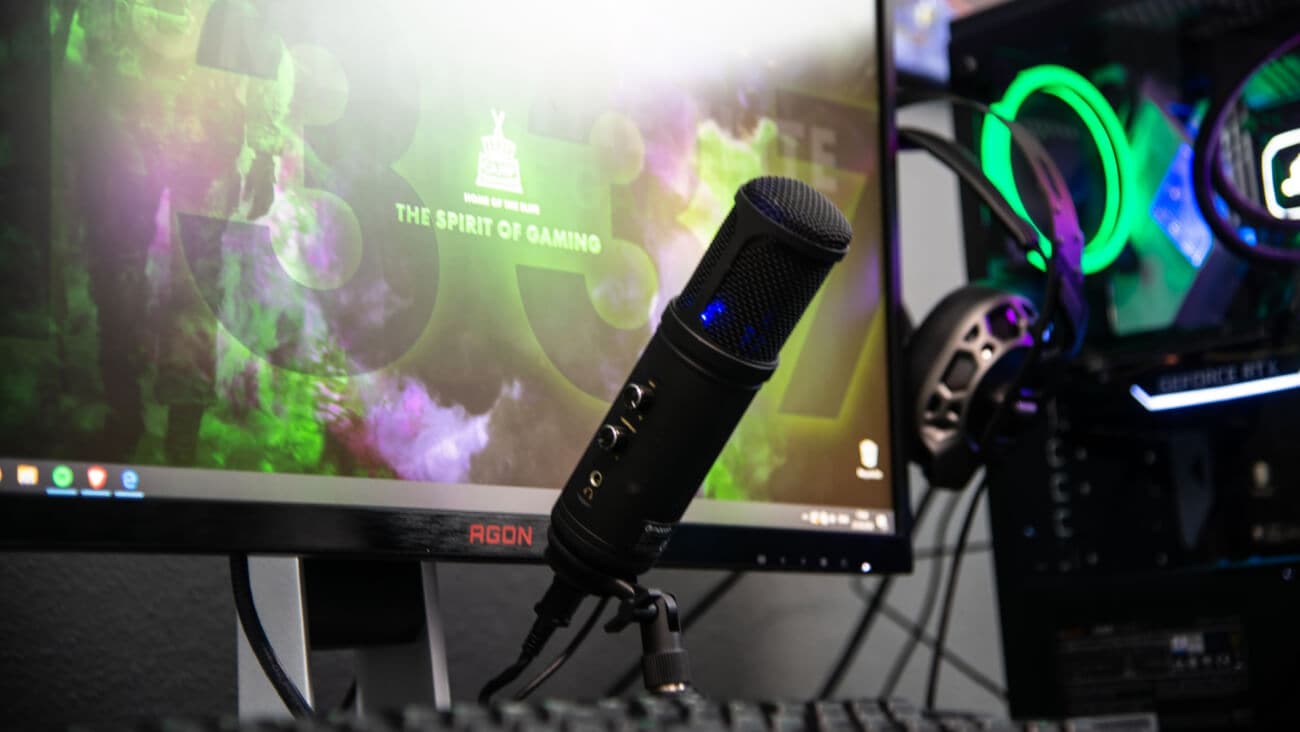
Microphone
Even though most gaming headsets will generally come with their own microphones, you may want to invest in a more reliable device that is going to ensure that the audio sounds clear enough for both live streams and recordings.
For online viewers - sound quality is key when watching a gaming session. It helps to make banter, game effects, sound bites and more, easier to engage with and respond too.
A decent microphone suitable for recording can be considerably hefty – generally ranging between $90-$200, however the difference between bad and good audio can be the edge between a good and bad Twitch channel.
For a decent microphone with a reasonable price tag, the Hyper X USE Condenser Gaming Microphone retails between $89 -$110 and is a quality choice. The Hyper X Microphone includes Plug N Play audio recording, a Tap-To-Mute sensor, boom arm and a mic stand.
Streaming Software
Not having a dependable streaming software for your Twitch account would be similar to a photographer that only uses film cameras to take photos. It can be risky, you may only have one shot and if something goes wrong –it will be unlikely that work will be backed up or saved.
By using a streaming software, it will automatically convert video data into a digital format that can be used for playback purposes and can help to reduce any interruptions or latency when videos are broadcasted in real time.
At the moment, there are many free streaming software encoders available online and generally speaking those that require a subscription will provide a free trial period to allow users to test the compatibility out.
Camera
While you can get away with using the camera that comes pre-installed on your laptop or computer, the field of view and visual quality may not be quite up to par compared to a third party device.
By adding on a webcam or a standing camera, you’ll be able to control the visual modes, edit settings and even choose the capture quality to deliver a clear broadcast with HDR capabilities.
One of the best advantages of using an add-on camera is that you’ll also be able to position the focus at different angles, whereas webcams on laptop and computers automatically assume a frontal point of view.
Logitech is always a safe bet when it comes to cameras. The C505 Webcam is one the newer models and includes HD 720p widescreen video, 2M cable for set up extensions and a 60 degree diagonal field of view. Generally speaking the C505 ranges in pricing between $60-$90.
Capture card
If you’re more of a console gamer – the PS4, PS5, Xbox One, Xbox Series X and the Xbox Series S will allow you to stream directly from your gaming system without needing any extra software or devices.
For Xbox users, you’ll need to download the free Twitch App while PlayStation gamers can start streaming through the ‘Share Menu’.
If you want to stream through other devices such as the Nintendo Switch, using a capture card is essential for recording gameplay and uploading video content.
Having a capture card will connect your device to a computer and will convert your camera’s output into a compatible configuration (e.g. shape, size, form etc) for upload, visual rending and content storage.
Lighting
You could be the best gamer in the world with the most agreeable and engaging commentary but without good lighting – it can be all for nothing. Quality lighting will not only improve the visual aesthetics of a stream but should also remove any dark shadows to centre focus and improve overall quality.
There are many lighting devices such as Ring Lights, Green Screen and Bi-Colour Led bulbs tyou can buy to improve a broadcast however these can be considerably expensive. Co-ordinating lamps, dimming down house lights or even positing your mobile camera in the right spot can achieve similar results and bring a professional impression to your stream.
Interested in adding some lighting equipment to your Twitch? Portable gear is the way to go. The Lume Cube Broadcast Lighting Kit is a great lighting tool to start off with. The kit includes adjustable brightness and colour, a computer mount as well as a detachable tripod stand. The Lume Cube comes in the size of mobile device and provides LED lighting to control colour temperature and glow.
Remember to have Fun
It can be so easy to get lost in the streaming world when you’re always thinking about how to build a following or how to a make channel grow - but it’s important to remember that at the end of the day, games are meant to be played for fun.
Whether it’s something you were doing for hobby or hoping to turn into a job, streaming should always be playful and something you enjoy. The more fun you are playing, the more fun it will be to watch.
Choose a seriously fast home internet connection that suits your game.
 Share on Facebook
 Share on Twitter
 Share on LinkedIn
What we’re watching in September 2026
7 September 2026
Discover what Optus is watching this August. 1. The Gentlemen S2, Netflix, 2. The Love Hypothesis, Prime Video. 3. The Runn...
Optus is joining forces with schools and teachers for Scam Awareness Week
25 August 2026
This Scam Awareness Week, stay alter and keep your information safe. Check out our Digital Thumbprint program to learn mor...
That’s a wrap for Calcio Italiano at Optus Stadium
13 August 2026
Optus Stadium hosted four of Italy’s biggest football clubs in early August – AC Milan, Inter, Juventus and Palermo, gettin...