Skip to Primary NavigationSkip to ContentSkip to Footer
  • Personal
  • Business
  • Enterprise
  • Deals
  1. iPads & Tablets>
  2. Samsung>
  3. Samsung Galaxy Tab S12 Ultra
Black Friday deal ends in16 days 7 hours 26 minutes 46 seconds
16
days
:
07
hours
:
26
minutes
:
4746
seconds

Black Friday: Save $250 + bonus keyboard​

5GeSIM

Image gallery of Samsung Galaxy Tab S12 Ultra
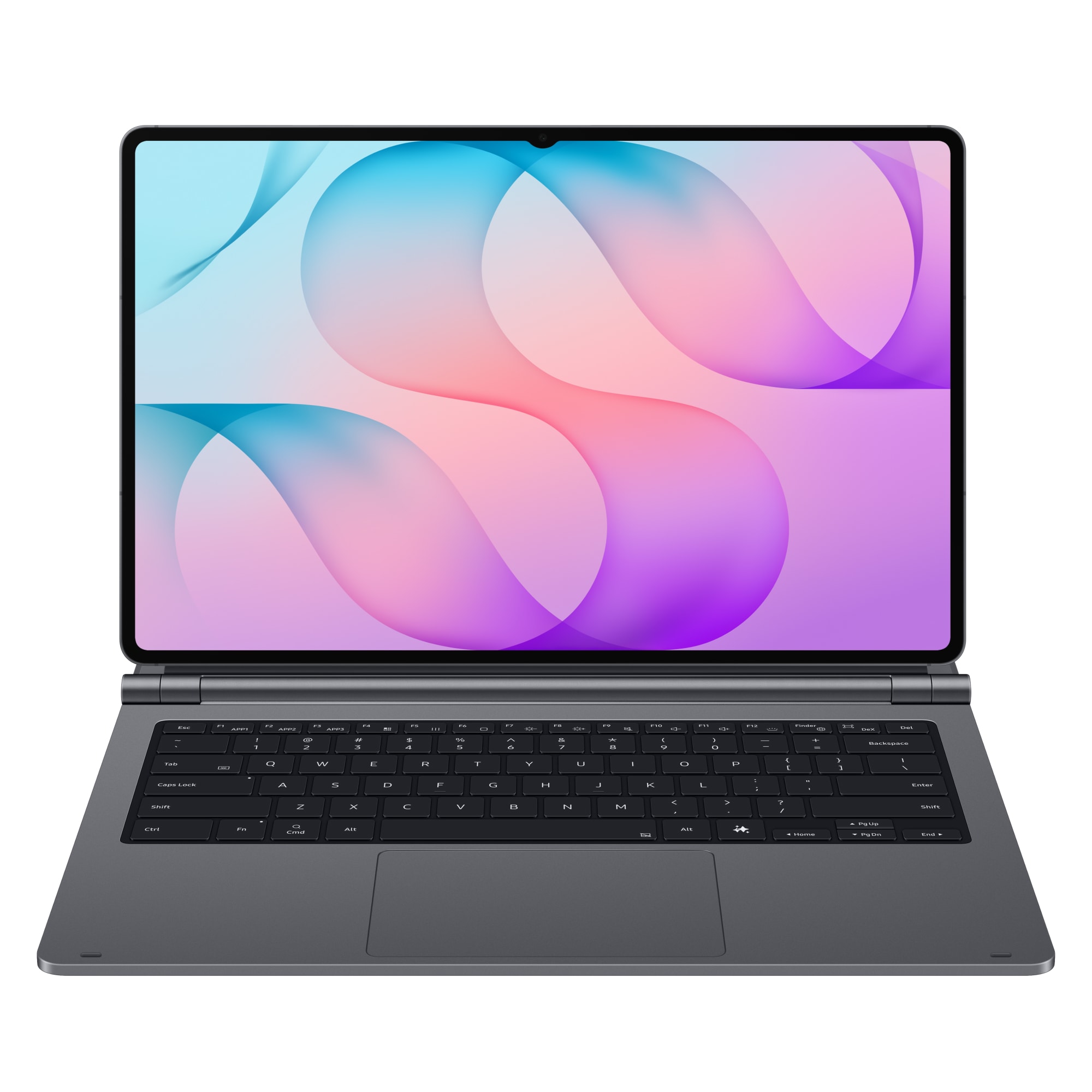
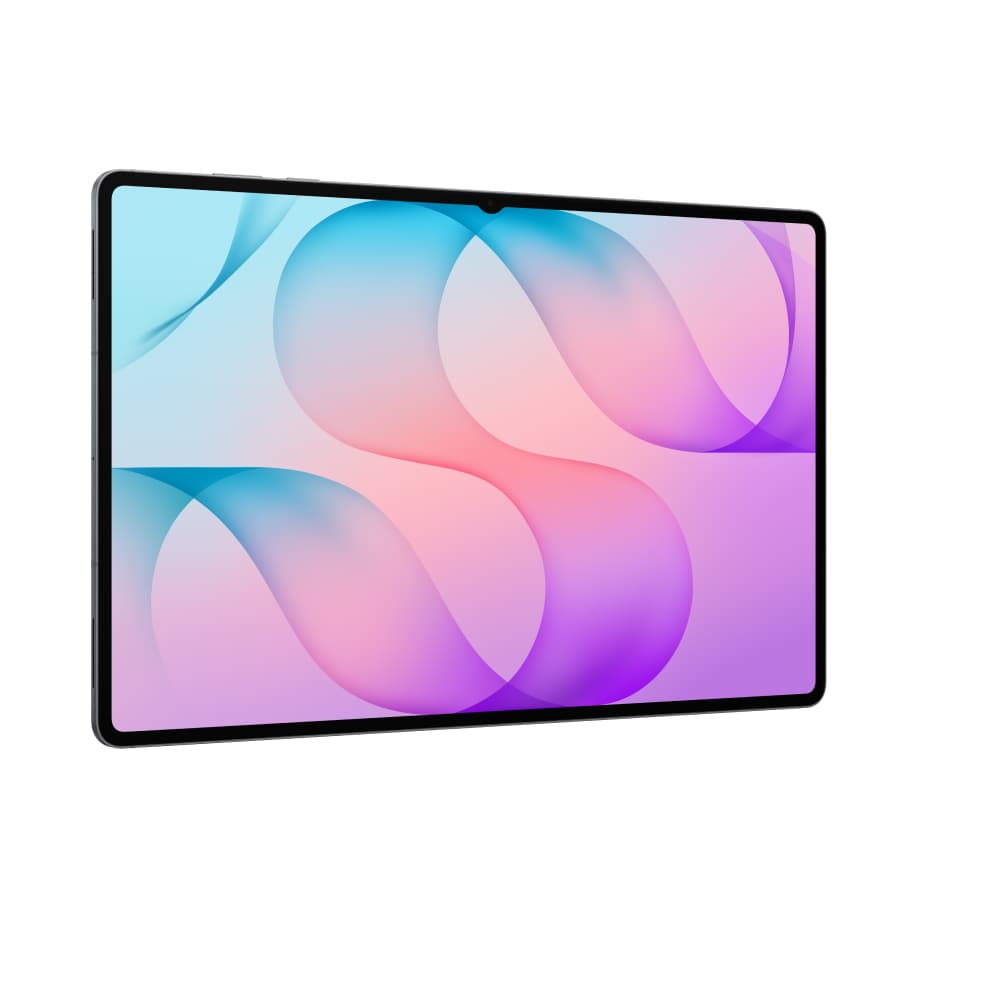
Samsung Galaxy Tab S12 Ultra - left angled view.Samsung Galaxy Tab S12 Ultra - right angled view.Side view of the Samsung Galaxy Tab S12 Ultra highlighting its slim profile, camera bump, and port placement.Front and back view of the Samsung Galaxy Tab S12 Ultra with S Pen.Rear view of the Samsung Galaxy Tab S12 Ultra.
Current image - no alt text available
Samsung

Galaxy Tab S12 Ultra

Choose your colour:

All payments are interest free

Discounted price
$63.84/month

Save $250.56 off RRP $2,548.80. Ends 6/12/26.

Free Delivery Delivers within 2 weeks.
Select Device

Features

Win $1000 to spend on Amazon
Buy this device on an eligible plan to go in the draw to win. Ends 6/12. Learn more.

Black Friday deal:

$250 off the Galaxy Tab S12 Ultra
When you pay over 24 or 36 months. Ends 6/12. Terms

Bonus Pro Keyboard (valued at $599)
Included with every purchase. Grey only. Ends 6/12.

Choose your plan

10GB
$15/month

Small Choice Plus Data Plan

  • 5G network access

  • Data-sharing across eligible plans

  • No excess data charges

  • No lock-in contract

  • Access to Unlimited Data Day for an extra $6 a day

  • Save up to 10% on subscriptions every month

  • Netflix, Amazon Prime, Paramount+,BritBox, Microsoft,Youtube and more

All for use within Australia​

Critical Information Summary (PDF)
Black Friday deal
100GB
$17.50/month

For 12 months,
then $35/month​

Large Choice Plus Data Plan​

  • 5G network access

  • Data-sharing across eligible plans

  • No excess data charges

  • No lock-in contract

  • Access to Unlimited Data Day for an extra $6 a day

  • Save up to 10% on subscriptions every month

  • Netflix, Amazon Prime, Paramount+,BritBox, Microsoft,Youtube and more

Offer ends 6/12/26. Reverts to standard price after 12 months. Not available with other discounts unless specified. Terms

All for use within Australia​

Critical Information Summary (PDF)

You've selected

Samsung Galaxy Tab S12 Ultra
Grey,256GB - 36 months
$63.84/month

Add a plan to proceed

Total

$63.84/month

Minimum cost $2,541.84. Includes device payments over 36 months and one month of your chosen plan fees.

Network Icon

Check out our Network Coverage available at your residential address and other critical locations before completing this order.

Why you should choose a value packed Optus Plan

Our network

Our combined 4G and 5G network covers 98.5% of Australians, and our 5G network is progressively rolling out. Check coverage.

Easy data sharing

Data sharing for your family! Combine eligible plans onto one account to share the data between devices.
FEATURES

Galaxy Tab S12 Ultra

Ultra Powerful

Next-gen processor backed by long lasting battery, for every day productivity.

Immersive Display

Every detail made perfect, on a stunning 14.6" Dynamic AMOLED 2x display. 1

Peak Productivity

Optimised for multi-tasking, with AI-powered software that streamlines your workflow effortlessly. 2

Ultra thin

Lightweight, refined design to support your work, entertainment and creativity.​

Elevated Ecosystem

Included S-pen and seamless connection with compatible devices and accessories.​

Disclaimers:

1. Measured diagonally, Galaxy Tab S12 Ultra's screen size is 14.6" in the full rectangle and 14.5" accounting for the rounded corners.

2. Basic Samsung Galaxy AI features are free. Future releases may be offered on a paid basis. Different terms may apply for third party AI features.

Galaxy Tab S12 Ultra in grey with an S Pen attached, shown beneath a second tablet displaying a colourful wallpaper. Samsung and Galaxy AI logos are visible.
Galaxy Tab S12 Ultra in grey is shown from the front and rear, with the rear camera system and the in-box hexagonal S Pen visible. Text reads “Ultra slim and sleek. Signature look.” and highlights a 5.1 mm thickness."
Galaxy Tab S12 Ultra displays Creative Studio with a globe image and a selection of colourful globe-themed stickers. The S Pen is shown selecting a sticker on screen. Text reads “S Pen in the box. Write naturally, draw easily."
Galaxy Tab S12 Ultra is shown with multiple study and video windows open, including biology notes and scientific images. Text highlights a 11,600 mAh battery and up to 23 hours of video playback on one charge.
Galaxy Tab S12 Ultra displays a colourful galaxy map with labelled celestial objects and a handwritten circle around part of the image. Text highlights the 14.6-inch Dynamic AMOLED 2X display, 1,000 nits HBM brightness and 1,600 nits peak brightness.
A person wearing wireless earbuds writes notes on a Galaxy Tab S12 Ultra at a desk. The tablet displays handwritten notes alongside an AI-generated summary and an image. Text reads “Hours of notes. Summarised in seconds.”
Galaxy Tab S12 Ultra displays Gemini Notebook with a presentation about European epics, including a historical map, timeline content and organised source images. Google AI Pro branding appears below the tablet. Text highlights a six-month trial of Google AI Pro and Gemini Notebook.
Galaxy Tab S12 Ultra displays Adobe Photoshop with a colourful globe image and floating clouds. The in-box hexagonal S Pen is shown selecting and positioning a cloud within a highlighted editing box. Text reads “Adobe Photoshop. Now on Galaxy Tab.
Four Galaxy Tab S12 Ultra displays show creative and productivity apps, including architectural design, video editing, digital painting and document annotation. Text reads “Your essential apps. Built for Galaxy Tab.”
Galaxy Tab S12 Ultra displays a video-editing timeline with a rotating crystal rendered in 3D. Text reads “Ultra fast. 3D Vapor Chamber keeps it cool.” Performance figures shown below include NPU 61%, CPU 19% and GPU 17%.
Galaxy Tab S12 Ultra lies flat on a wet surface, displaying a recipe and cooking notes. Text highlights enhanced Armor Aluminium and IP68-rated water and dust resistance.
Two Galaxy Tab S12 Ultra tablets are arranged at overlapping angles, displaying entertainment content including music and video. Blue sound waves surround the tablets to represent immersive audio. Text reads “4-channel audio system. Surround sound.
Galaxy Tab S12 Ultra is shown in Samsung DeX mode with a PC-like desktop interface. Multiple workspace thumbnails appear across the top of the display, while a document window shows a red and white architectural graphic with the heading “Pure Precision.” Text reads “Samsung DeX. PC-like productivity.
A close-up of the Galaxy Tab S12 Ultra display shows a blue security graphic with a tablet and shield icon. Text reads “7x OS and security upgrades. Built to last.”
Galaxy Tab S12 Ultra in grey with an S Pen attached, shown beneath a second tablet displaying a colourful wallpaper. Samsung and Galaxy AI logos are visible.
Galaxy Tab S12 Ultra in grey is shown from the front and rear, with the rear camera system and the in-box hexagonal S Pen visible. Text reads “Ultra slim and sleek. Signature look.” and highlights a 5.1 mm thickness."
Galaxy Tab S12 Ultra displays Creative Studio with a globe image and a selection of colourful globe-themed stickers. The S Pen is shown selecting a sticker on screen. Text reads “S Pen in the box. Write naturally, draw easily."
Galaxy Tab S12 Ultra is shown with multiple study and video windows open, including biology notes and scientific images. Text highlights a 11,600 mAh battery and up to 23 hours of video playback on one charge.
Galaxy Tab S12 Ultra displays a colourful galaxy map with labelled celestial objects and a handwritten circle around part of the image. Text highlights the 14.6-inch Dynamic AMOLED 2X display, 1,000 nits HBM brightness and 1,600 nits peak brightness.
A person wearing wireless earbuds writes notes on a Galaxy Tab S12 Ultra at a desk. The tablet displays handwritten notes alongside an AI-generated summary and an image. Text reads “Hours of notes. Summarised in seconds.”
Galaxy Tab S12 Ultra displays Gemini Notebook with a presentation about European epics, including a historical map, timeline content and organised source images. Google AI Pro branding appears below the tablet. Text highlights a six-month trial of Google AI Pro and Gemini Notebook.
Galaxy Tab S12 Ultra displays Adobe Photoshop with a colourful globe image and floating clouds. The in-box hexagonal S Pen is shown selecting and positioning a cloud within a highlighted editing box. Text reads “Adobe Photoshop. Now on Galaxy Tab.
Four Galaxy Tab S12 Ultra displays show creative and productivity apps, including architectural design, video editing, digital painting and document annotation. Text reads “Your essential apps. Built for Galaxy Tab.”
Galaxy Tab S12 Ultra displays a video-editing timeline with a rotating crystal rendered in 3D. Text reads “Ultra fast. 3D Vapor Chamber keeps it cool.” Performance figures shown below include NPU 61%, CPU 19% and GPU 17%.
Galaxy Tab S12 Ultra lies flat on a wet surface, displaying a recipe and cooking notes. Text highlights enhanced Armor Aluminium and IP68-rated water and dust resistance.
Two Galaxy Tab S12 Ultra tablets are arranged at overlapping angles, displaying entertainment content including music and video. Blue sound waves surround the tablets to represent immersive audio. Text reads “4-channel audio system. Surround sound.
Galaxy Tab S12 Ultra is shown in Samsung DeX mode with a PC-like desktop interface. Multiple workspace thumbnails appear across the top of the display, while a document window shows a red and white architectural graphic with the heading “Pure Precision.” Text reads “Samsung DeX. PC-like productivity.
A close-up of the Galaxy Tab S12 Ultra display shows a blue security graphic with a tablet and shield icon. Text reads “7x OS and security upgrades. Built to last.”

*Image simulated. Samsung account login may be required for certain AI features.

1. Colour and model availability may vary.

3. Measured diagonally, Galaxy Tab S12 Ultra's screen size is 14.6" in the full rectangle and 14.5" accounting for the rounded corners. Actual viewable area is less due to the rounded corners and the camera hole.

4. Creative Studio feature requires a network connection and Samsung Account login. Service availability may vary by country, language or device model. A visible watermark is overlaid on the image output upon saving in order to indicate that the image is generated by AI. The accuracy and reliability of the generated output is not guaranteed. Sticker sets only compatible with Samsung keyboard and can only be shared via Quick Share feature with other Galaxy devices that have One UI 5.0 or later installed and Quick Share app version 13.8.50.x or later.

5. AI-generated elements included in the image.

6. Typical value tested under third-party lab conditions. Typical value is the estimated average value considering the deviation in battery capacity among the battery samples tested under IEC61960 standard. Rated (minimum) capacity is 11374 mAh.

7. Based on Samsung internal lab test conditions with pre-release version of given model connected to earphone via Bluetooth under default settings over LTE. Estimated against battery capacity and measured current over battery power consumption during video playback (video file resolution 720 p, saved on device), respectively. Actual video playback times vary by network connection, settings, file format, screen brightness, battery condition and other factors.

8. Super Fast Charging speed may vary depending on charging conditions and other factors.

9. Using the original Samsung data cable is recommended.

10. AI-generated text included in the image.

11. Compared to previous Galaxy Tab S Ultra models.

12. Model availability may vary depending on country, region or carrier.

13. Galaxy Tab S12 Ultra supports peak brightness of 1600 nits and outdoor brightness of 1000 nits in High Brightness Mode.

14. Note Assist feature requires a Samsung Account login. Available functions and features may vary by country, region and language. May not work on all content pasted or written content. The Auto format function has a limit on the number of characters.

15. Check responses for accuracy. Features and availability vary by region and age. Gemini is a trademark of Google LLC.

16. Feature availability will vary. Check responses for accuracy. Feature availability may vary and some features subject to usage limits.

17. Terms apply. By subscribing, you agree to terms for Google One, YouTube and offers. Offer ends Aug 1, 2027 at 11:59pm PT. Unless cancelled earlier, Google One will charge $19.99/mo after the trial ends. Cancel anytime. Return of purchased device may result in cancellation of subscription. See full terms at Google One membership Offer terms.

18. Adobe Photoshop comes preloaded on Galaxy Tab S12 Ultra in the Galaxy Picks folder.

19. Adobe Photoshop for Tablet will be launched exclusively in the Galaxy Store for a period of at least six months starting Oct 7, 2026, after which Adobe may launch the app in other app stores. Galaxy Tab S12 Ultra users are eligible to receive a 4-month free Adobe Photoshop premium mobile subscription, including 100 monthly generative credits. Eligible users must not have previously subscribed to the Adobe Photoshop Android app. At the end of the 4-month promotional period, the subscription will renew automatically at the applicable Australian subscription price unless cancelled. Offer valid until 19 May 2028.

20. App availability, benefits, terms may vary by country or region. Clip Studio Paint membership required. First-time users can receive a 6-month free trial, after which a paid subscription is required. First subscription eligible for 20% discount. Notion, Notability apps require download from Galaxy Store. Goodnotes, Notion, Notability include free periods of 1 year, 1 month (Business trial for 1 new workspace) and 6 months, respectively. Continued use of Goodnotes or Notability may require additional purchases after the free period. Adobe Photoshop mobile app free trial subject to Adobe's standard terms and conditions. LumaFusion preloaded as a stub; tap icon to complete purchase from Galaxy Store. Galaxy device users receive 66% Galaxy Store discount and 30-day free Creator Pass subscription. Offer valid until Dec. 31, 2027.

21. The enhanced performance figures are based on a comparison of Galaxy Tab S12 Ultra to Tab S11 Ultra.

22. The 3D vapor chamber on Galaxy Tab S12 Ultra helps heat dissipate faster and more efficiently compared to the flat vapor chamber on Tab S11 Ultra.

23. Actual performance will depend on user environment, conditions and pre-installed software and applications.

24. When compared to the CPU of the Galaxy Tab S11 Ultra and tested by GeekBench6. Galaxy Tab S11 Ultra had a GEOMEAN of 5054.8, while Galaxy Tab S12 Ultra has a GEOMEAN of 6034.7

25. When compared to the GPU of the Galaxy Tab S11 Ultra. Galaxy Tab S11 Ultra had a Peak of 123.8, while Galaxy Tab S12 Ultra has a Peak of 144.9.

26. When compared to the NPU of the Galaxy Tab S11 Ultra. Galaxy Tab S11 Ultra had a score of 1039, while Galaxy Tab S12 Ultra has a score of 1675.

27. Armour Aluminium frame is applied to the frame and rear of the device excluding Cam Deco, Pen Deco, side keys and the SIM tray.

28. Galaxy Tab S12 Ultra and the included S Pen have an IP68 rating based on lab test conditions and are dust resistant and water resistant for submersion in up to 1.5 meters of fresh water for up to 30 minutes. Third party testing was conducted in fresh water. Not suitable for diving or high pressure water activities.  Refer to user manual for further care and instructions.

29. Image simulated for illustrative purposes.

30. Up to four workspaces available, with a maximum of five apps open simultaneously in each.

31. Certain apps may not run or require a separate license (for purchase) on Samsung DeX.

32. Availability and timing of OS upgrades and security updates may vary by device model and market.

33. Compared to earlier models with flat vapor chamber design.

34. Cooling performance may vary based on actual workload and environmental factors.

35. Memory and storage options and availability may vary by country, region or carrier. Actual storage availability may vary depending on pre-installed software. MicroSD card sold separately.

36. Thickness measured from top to bottom of the glass at the thinnest point.

37. Galaxy Tab S12 Ultra has peak brightness of 1600 nits and reaches up to 1000 nits in High Brightness Mode (HBM) for improved visibility in typical outdoor environments.

38. Measured diagonally, Galaxy Tab S12 Ultra's screen size is 14.6 inch in the full rectangle and 14.5 inch accounting for the rounded corners. Galaxy Tab S12+'s screen size is 12.6 inch in the full rectangle and 12.5 inch accounting for the rounded corners. Actual viewable area is less due to the rounded corners and the camera hole.

39. Typical value tested under third-party lab conditions. Typical value is the estimated average value considering the deviation in battery capacity among the battery samples tested under IEC61960 standard. Rated (minimum) capacity is 11374 mAh for the Galaxy Tab S12 Ultra.

40. Pro keyboard sold separately.

41. Accessories sold separately.

42. Typical value tested under third-party laboratory conditions. Rated (minimum) capacity is 11374 mAh for Galaxy Tab S12 Ultra. Actual video playback times vary by network connection, settings, file format, screen brightness, battery condition and many other factors. Fast Charging speed may vary depending on charging conditions and other factors. 45W Travel Adapter is sold separately.

43. Dolby Atmos and multi-channel audio format compatibility may vary depending on the streaming platform, region and media file format. Audio optimization is designed for immersive listening experiences in indoor environments.

44. Samsung account login may be required to use certain AI features.

45. Samsung does not make any promises, assurances or guarantees as to the accuracy, completeness or reliability of the output provided by AI features.

46. Availability of Galaxy AI features may vary depending on the region/country, OS/One UI version, device model, and phone carrier.

47. Galaxy AI basic features provided by Samsung are free. Future releases may include enhanced features or new services that are offered on a paid basis. Different terms may apply for AI features provided by third parties. Galaxy AI basic features are those services listed under "Advanced intelligence" in the current Samsung Services Terms and Conditions.

48. Galaxy AI service may be limited for minors in certain regions with age restrictions over AI usage.
49. Now Brief feature requires Samsung Account login. Service availability may vary by country, language, device model and apps. Some features may require a network connection. Modes and Routines need to be enabled to use Personal Data Engine for context-based Routines suggestions. User needs to consent to access permissions such as photos, videos, audio files, and calendar events. May not display moments depending upon exposure policy. The description of photos provided by moments may not align with the user's intent. Events schedule notification is supported with calendar apps that utilise Android calendar database and available if Samsung Calendar is installed. Notifications for coupons only available for coupons added to Samsung Wallet with expiration date.

50. Google Gemini requires a network connection and is provided by Google. Gemini is a trademark of Google LLC. Perplexity is a trademark of Perplexity Solved Solutions Inc.

51. Samsung Account login and internet connection may be required to use certain AI features. AI assistant can be customised based on user preferences.

52. Ask anything is supported in designated countries (including US, KR) and supports 8 languages (Korean, English, German, French, Italian, Spanish, Portuguese, Japanese). Samsung Account login and network connection are required. Accuracy of results is not guaranteed.

53. AI Automation features may vary depending on partner application APIs and regional terms. Samsung does not make any promises, assurances, or guarantees as to the accuracy, completeness, or reliability of the output provided by AI features.

54. Now Brief feature requires Samsung Account login. Service availability may vary by country, language, device model and apps. Some features may require a network connection. Account linkage with supported third-party applications (YouTube, Spotify, Netflix) required. Modes and Routines need to be enabled to use Personal Data Engine for context-based Routines suggestions. User needs to consent to access permissions such as photos, videos, audio files, and calendar events. May not display moments depending upon exposure policy. The description of photos provided by moments may not align with the user's intent. Events schedule notification is supported with calendar apps that utilise Android calendar database and available if Samsung Calendar is installed. Notifications for coupons only available for coupons added to Samsung Wallet with expiration date.

55. YouTube is a trademark of Google LLC. Spotify is a trademark of Spotify AB. Netflix is a trademark of Netflix, Inc.

56. App availability, benefits, terms may vary by country or region. Clip Studio Paint membership required. Available pre-installed in select markets or via Galaxy Store. First-time users can receive a 6-month trial, for first-time users. Once the free trial period ends, paid subscription to a monthly or annual usage plan is required for continuous use. First subscription eligible for 20% discount. Notion, Notability apps require separate download from Galaxy Store. Goodnotes, Notion, Notability include free periods of 1 year, 1 month (Business trial for 1 new workspace), and 6 months, respectively. Continued use of Goodnotes, Notability may require additional purchase after free period. Adobe Photoshop free trial subject to Adobe's standard terms and conditions. LumaFusion preloaded as a stub; tap icon to complete purchase from Galaxy Store. Galaxy device users receive 66% Galaxy Store discount and 30-day free Creator Pass subscription. Offer valid until Dec. 31, 2027.

57. OS upgrades are subject to device compatibility and hardware resource limitations. Availability and timing of security updates may vary by market. A total of 7 software updates will be provided, starting from the initial year of global market release.

58. Measured diagonally, Galaxy Tab S12+'s screen size is 12.6 inch in the full rectangle and 12.5 inch accounting for the rounded corners. Actual viewable area is less due to the rounded corners.

59. Measured diagonally, Galaxy Tab S11 Ultra's screen size is 14.6" in the full rectangle and 14.5" accounting for the rounded corners. Actual viewable area is less due to the rounded corners and the camera hole.

60. Measured diagonally, Galaxy Tab S10+'s screen size is 12.4 inch in the full rectangle and 12.4 inch accounting for the rounded corners. Actual viewable area is less due to the rounded corners.

61. Galaxy Tab S12+ supports peak brightness of 1600 nits and outdoor brightness of 1000 nits in High Brightness Mode.

62. Galaxy Tab S11 Ultra has maximum brightness of 1600 nits and outdoor brightness of 1000 nits in High Brightness Mode.

63. The Dynamic AMOLED 2X display on Galaxy Tab S10 Series. Galaxy Tab S10 Ultra has a peak brightness of 930 nits and Galaxy Tab S10+ has a peak brightness of 650 nits. The displays are adaptive, adjusting brightness level automatically based on the environment. In an area of 5000 lux or higher, High Brightness Mode and Vision Booster will be activated.

64.The enhanced performance figures are based on a comparison of Galaxy Tab S12+ to Tab S10+.

65. The 3D vapor chamber on Galaxy Tab S12+ helps heat dissipate faster and more efficiently compared to the flat vapor chamber on Tab S10+.

66. The enhanced performance figures are based on a comparison of Galaxy Tab S11 Ultra to Tab S10 Ultra.

67. The enhanced performance figures are based on a comparison of Galaxy Tab S10 Ultra to Tab S9 Ultra. When comparing Tab S10+ to Tab S9+, the CPU performance is 16% improved, GPU is 27% improved, and NPU is 13% improved.

68. Dust resistance rating is tested under lab conditions by a third party: 2 kg of talc powder (max. diameter of 0.05 mm) per cubic meter was blown into a test chamber housing the device (air pressure within device kept below surrounding air) for 2 hours. Rated IP6X. Dust resistance may vary by actual usage conditions.

69. Galaxy Tab S12+ and the included S Pen are rated IP68 under IEC standard 60529. Based on lab test conditions submersion in up to 1.5 meters of freshwater for up to 30 minutes (IP68). Not advised for beach or pool use. Water and dust resistance of device is not permanent and may diminish over time because of normal wear and tear.

70. Galaxy Tab S11 Ultra and the included S Pen are rated IP68 under IEC standard 60529. Based on lab test conditions submersion in up to 1.5 meters of freshwater for up to 30 minutes (IP68). Not advised for beach or pool use. Water and dust resistance of device is not permanent and may diminish over time because of normal wear and tear.

71. Galaxy Tab S10+, Tab S10 Ultra and the included S Pen are rated IP68 under IEC standard 60529. Based on lab test conditions submersion in up to 1.5 meters of freshwater for up to 30 minutes (IP68). Not advised for beach or pool use. Water and dust resistance of device is not permanent and may diminish over time because of normal wear and tear.

72. Based on Samsung internal lab test conditions with pre-release version of given model connected to earphone via Bluetooth under default settings over LTE. Estimated against battery capacity and measured current over battery power consumption during video playback (video file resolution 720 p, saved on device), respectively. Actual video playback times vary by network connection, settings, file format, screen brightness, battery condition and many other factors.

73. Super Fast Charging speed may vary depending on charging conditions and other factors.

74. Using the original Samsung data cable is recommended.

75. Typical value tested under third-party laboratory conditions. Typical value is the estimated average value considering the deviation in battery capacity among the battery samples tested under IEC61960 standard. Rated (minimum) capacity is 10392 mAh for Galaxy Tab S12+.

76. Typical value tested under third-party laboratory conditions. Typical value is the estimated average value considering the deviation in battery capacity among the battery samples tested under IEC61960 standard. Rated (minimum) capacity is 11374 mAh for Galaxy Tab S11 Ultra.

77. Typical value tested under third-party laboratory conditions. Typical value is the estimated average value considering the deviation in battery capacity among the battery samples tested under IEC 62133 standard. Typical capacity is 11200 mAh for Galaxy Tab S10 Ultra and 10090 mAh for Galaxy Tab S10+. Rated (minimum) capacity is 10880 mAh for Galaxy Tab S10 Ultra and 9800 mAh for Galaxy Tab S10+. Actual battery life may vary depending on network environment, usage patterns and other factors.

78. Weight measured in grams.

*All specifications and descriptions provided herein may be different from the actual specifications and descriptions for the product. Samsung reserves the right to make changes to this document and the product described herein, at any time, without obligation on Samsung to provide notification of such change. All functionality, features, specifications, GUI and other product information provided in this document including, but not limited to, the benefits, design, pricing, components, performance, availability and capabilities of the product are subject to change without notice or obligation. The contents within the screen are simulated images and are for demonstration purposes only.

*Samsung Account login may be required to use certain AI features.

*Samsung does not make any promises, assurances or guarantees as to the accuracy, completeness or reliability of the output provided by AI features.

*Availability of Galaxy AI features may vary depending on the region/country, OS/One UI version, device model and phone carrier.

*Galaxy AI basic features provided by Samsung are free. Future releases may include enhanced features or new services that are offered on a paid basis. Different terms may apply for AI features provided by third parties. Galaxy AI basic features are those services listed under "Advanced intelligence" in the current Samsung Services Terms and Conditions.

*Galaxy AI service may be limited for minors in certain regions with age restrictions over AI usage.

TERMS AND CONDITIONS

Fair Go Policy applies.

100GB for $17.50/month for 12 months:

Available to Consumer and Business customers who connect to a $35 Optus Choice Plus Data Plan or Optus Choice Data Plan. New services only. Plan fee reverts to standard in market price after 12 months. Discount applies only to standard monthly access fees, and not to add-ons or device payments. Discount offer forfeited if the customer cancels or recontracts the discounted service or changes the rate plan to an ineligible plan. Not available with other offers unless specified. Ends 6/12/26.

5G capable:

This device is capable of working on the Optus 5G network, which is available in selected areas and on selected plans. Excludes NT. When not in a 5G coverage area, the device will switch to the Optus 4G network where it is available. For more details, check optus.com.au/5GCoverage.

How we calculate total minimum cost:

Your min. cost is the minimum total amount you will be required to pay, when you sign up to a SIM plan or a SIM plan with a device payment plan.

  • When you sign up to a month to month SIM plan without a device payment plan, your min. cost is one month of your SIM plan fee.
  • When you sign up to a month to month SIM plan (which includes a plan fee discount) without a device payment plan, your min. cost is one month of your discounted SIM plan fee.
  • When you sign up to a month to month SIM plan with a device payment plan, your min. cost is the cost of your device in full plus one month of your SIM plan fee.
  • When you sign up to a month to month SIM plan (which includes a plan fee discount) with a device payment plan, your min. cost is the cost of your device in full plus one month of your discounted SIM plan fee.
  • When you sign up to a month to month SIM plan with a device payment plan (which includes a device discount), your min. cost is the cost of your device in full (less one month of your device credit amount) plus one month of your SIM plan fee.
  • When you sign up to a month to month SIM plan (which includes a plan fee discount) with a device payment plan (which includes a device discount), your min. cost is the cost of your device in full (less one month of your device credit amount) plus one month of your discounted SIM plan fee.
  • When you sign up to a month to month SIM plan with an outright purchase, your min cost is one month of your SIM plan fee.

Device Discount:

If you have device discounts, they will apply for the duration of your payment plan. Device discounts are available as advertised for customers who purchase this device on an plan, as specified above. Discount applied over length of payment plan selected and applied from the first invoice for the device payment. The discount will be forfeited if the customer cancels, recontracts or changes to an ineligible plan, and the customer will have to pay out the remaining device payments excluding the device discount. See above for offer end date. If no date is specified, the offer is available until withdrawn.

Changes to Data Plans (month to month):

We may make changes to your month-to-month data plan, including to the price or inclusions. This could include moving you to a new plan, which may cost more. We’ll give at least 30 days’ notice of any increase to plan access fees, any data inclusion decrease or any plan moves. If you don’t like the change, you can choose a new plan (once per payment cycle) or cancel.

Data Plans (month-to-month):

If your plan is cancelled, there are no cancellation fees, but you will not receive a pro rata refund of charges paid in advance for the reminder of the payment cycle, unless otherwise provided in our standard agreement and subject to your consumer law rights. Related device payment plans (if applicable) will be cancelled, and you’ll have to pay out any remaining payments in full and any other charges owing as a one-off payment (if applicable), with any device credits or discounts forfeited (if applicable). You will be automatically charged via card once per month for recurring charges and any add-ons. You must maintain your card payment details or your plan will be cancelled.

No Excess Data Charges:

If data allowance is exceeded, your service will be slowed to a maximum speed of 1.5Mbps. 1.5Mbps is suitable for general internet browsing and music streaming, however some activities such as video streaming may see increased buffering and loading times. Usage while slowed is unmetered. Applies to data usage in Australia only.

Usage Alerts:

Usage alerts are typically real-time but delays of up to 48 hours may be experienced. You will receive alerts in Australia and while roaming overseas via your nominated email. However, you can change your preferred method of receiving usage alerts and service notifications anytime by visiting My Account. Learn more about usage alerts at optus.com.au/usage.

My Account:

Services that share data may have a service login to My Account which will display all service numbers contributing or using the shared data pool on the account. If you have more than 6 services you may not be able to use My Account to monitor usage or add/change alerts.

Optional extras for Tablet/Data plans:

Optional Extras are available on a month by month basis and do not form part of your plan. You may cancel them at any time. Optus may change or withdraw an optional extra at any time and we will try and give you at least 21 days prior notice of a change. If an optional extra is cancelled, changed or withdrawn, you will be liable to pay charges for the optional extra service that remain active until the relevant billing cycle ends and your plan will continue for the rest of its term.

Data Add-ons:

Each add-on can be added once per 24 hrs, per service. You can access your Data Add-ons as soon as you request it. You may automatically be charged via card on activation of the add-on, if no payment is made you will still have access to the add-on and the amount will be added to your next invoice. The inclusion of your Data Add-on is added to your data allowance. Data is counted in KB increments and includes uploads and downloads. Any unused data is forfeited and cannot be rolled over to your next payment cycle. Usage alerts are sent at 50%/85%/100% of your data via SMS or email. Add-on expires if data used or at end of payment cycle (whichever is first). Data can only be used in Australia.

Optus Daily Roaming:

Optus Daily Roaming add-on for $5 is automatically activated and is available on Consumer Choice Plus and Business Choice Plus mobile plans, Qantas plans and MBB plans in Zone 1 destinations. For Choice Plus, Business Choice Plus, Qantas plans with no Roaming inclusion, Qantas plans with expired roaming inclusion within 30 days and MBB data plans you will be automatically charged via card upon first usage in an eligible destination. If your payment fails you will need to check your payment details are correct, and all roaming usage will be restricted. Usage alerts are sent at 50%/85%/100% of your data inclusions. Optus Daily Roaming includes 5GB data as well as unlimited standard national talk and text in Zone 1 destinations or to Australia (standard national talk is not available with MBB plans). Optus daily roaming expires once the 5GB of data is used or once the add-on 24 hour duration has ended (whichever is first). If you continue to roam in eligible destinations, we’ll automatically add another 5GB to your service, and you will be charged $5 for the further add-on. Unused data expires. Eligible destinations are subject to change, see current list at optus.com.au/roam. Fair Go Policy applies.

Unlimited Data Day:

For use on mobile phones and tablet devices in Australia only. Fair Go Policy applies. Not for commercial use. Add-on may be withdrawn from sale without notice. Available for 24 hours from activation for eligible service only, no data sharing. Limit 1 Add-on per service at a time. Add-on may be withdrawn from sale without notice. You may automatically be charged via card on activation of the add-on, if no payment is made you will still have access to the add-on and the amount will be added to your next monthly invoice.

Coverage:

Coverage availability will vary depending on your device and location. 5G available in selected areas only (exc NT) and on selected plans. Compatible 5G device and plan required. Check coverage at optus.com.au/coverage.

Support

Frequently asked questions 

How do I keep track of my usage?

We'll send you usage alerts once you've reached approximately 50%, 85% and 100% of your shared included domestic data (in Australia only).

And, you can check usage by:

  • Visiting My Account
  • Downloading My Optus app

What is Data Sharing?

Data Sharing is perfect for families and for individuals with multiple mobile and mobile broadband services who want to share their data to get the most out of their data inclusions. Learn more.

Optus Choice Plus, Optus Choice Plus Data, Optus Plus Family and Optus Plus Kids plans do not data share with other plans.  Check your CIS document or My Optus app to check your plan.

What happens if I go over my plan's included data?

Great news - with our Endless Data feature, once you reach your shared data allowance, all services that share data on your account will continue to use data at maximum speeds of up to 1.5Mbps. A speed of 1.5Mbps is suitable for general internet browsing and music streaming, however some activities such as video streaming may see increased buffering and loading times.

We'll also send you usage alerts at 50%, 85% and 100% of your data limit - and, you can always see how your usage is travelling in My Optus app.

Can I access 5G network on an Optus Choice Data Plan?

On this data plan, you can access Optus 5G network at no additional cost, but a compatible device is required. The Optus 5G mobile network is currently available in selected areas of Australia (not NT). When not in 5G coverage area, the device will switch to Optus 4G network where it is available. Check out the Optus 5G mobile coverage map for the latest updates on our 5G network rollout.

    How do I change my rate plan?

    You can change to another eligible month-to-month plan once per payment cycle. If you change to another eligible plan and you also have a related device payment plan, your device payment plan will remain in place and your device payments will remain the same. To change your rate plan, you can contact us on 13 39 37, message us via My Optus app or visit us in store.

    Are there any cancellation fees on these plans?

    There are no cancellation fees. If you cancel your plan, you will need to pay out any remaining payments for the device if you have chosen a device payment plan option, plus all charges outside of your plan inclusions which have been incurred up until the end of the payment cycle in which the service was cancelled.

    How can I purchase a device?

    You can choose to purchase an eligible device with a Data Plan and pay for it over a selected term (over 12, 24 or 36 months) by monthly payments on a device payment plan. Alternatively, you can purchase an eligible device outright.

    What is Optus Upgrade and Protect?

    Optus Upgrade and Protect is a $15/mth add-on available when purchasing a new mobile or tablet on a device payment plan that gives you access to early upgrade options, even if your device is damaged. Upgrade fees may apply depending on the condition of your device and months remaining on your device payment plan. You can cancel your subscription at anytime. Excludes outright purchases. Find out more.

    Can I purchase Optus Upgrade and Protect on this device?

    Optus Upgrade and Protect is available to new and recontracting mobile service customers who purchase a new device on an eligible 12, 24 or 36 month device payment plan with an eligible SIM plan. The add-on is available at online checkout to Optus Consumer and Business customers. This is not available for customers who purchase their device outright.

    Still have questions?

    Chat with us now

      Call 1800 700 749

      Download My Optus app

      Visit an Optus store

    More from Optus

    • My Optus App
    • SubHub
    • Accessories
    • Student Hub
    • Black Friday Deals

    Customer Service

    • Contact Us
    • Help & Support
    • Store Locator
    • Payment Assistance Policy
    • Feedback & Complaints
    • Report a service outage

    About Us

    • About Optus
    • Careers
    • Corporate Information
    • Media Releases
    • About Singtel
    • Accessibility

    • Blog
    • Connect With Us on facebook
    • Connect With Us on instagram
    • Connect With Us on tiktok
    • Connect With Us on linkedin
    • Connect With Us on twitter
    • Connect With Us on youtube

    • Critical Information Summaries
    • Standard Agreement
    • Privacy, Security & Safety

    Connect with us

    • Blog
    • Connect With Us on facebook
    • Connect With Us on instagram
    • Connect With Us on tiktok
    • Connect With Us on linkedin
    • Connect With Us on twitter
    • Connect With Us on youtube
    • Critical Information Summaries
    • Standard Agreement
    • Privacy, Security & Safety
    © 2026 Singtel Optus Pty Limited
    Optus acknowledges the Traditional Custodians of the lands, waters and skies across Australia. We pay our respects to Elders past and present and honour the strength and continuity of the world's oldest living cultures.
