Skip to Primary NavigationSkip to ContentSkip to Footer
  • Personal
  • Business
  • Enterprise
  • Deals
  1. iPads & Tablets>
  2. Apple>
  3. iPad 11-inch (A16)
Free Delivery
Interest Free Payment Options
Data Sharing

5GeSIM Only

Image gallery of iPad (A16)
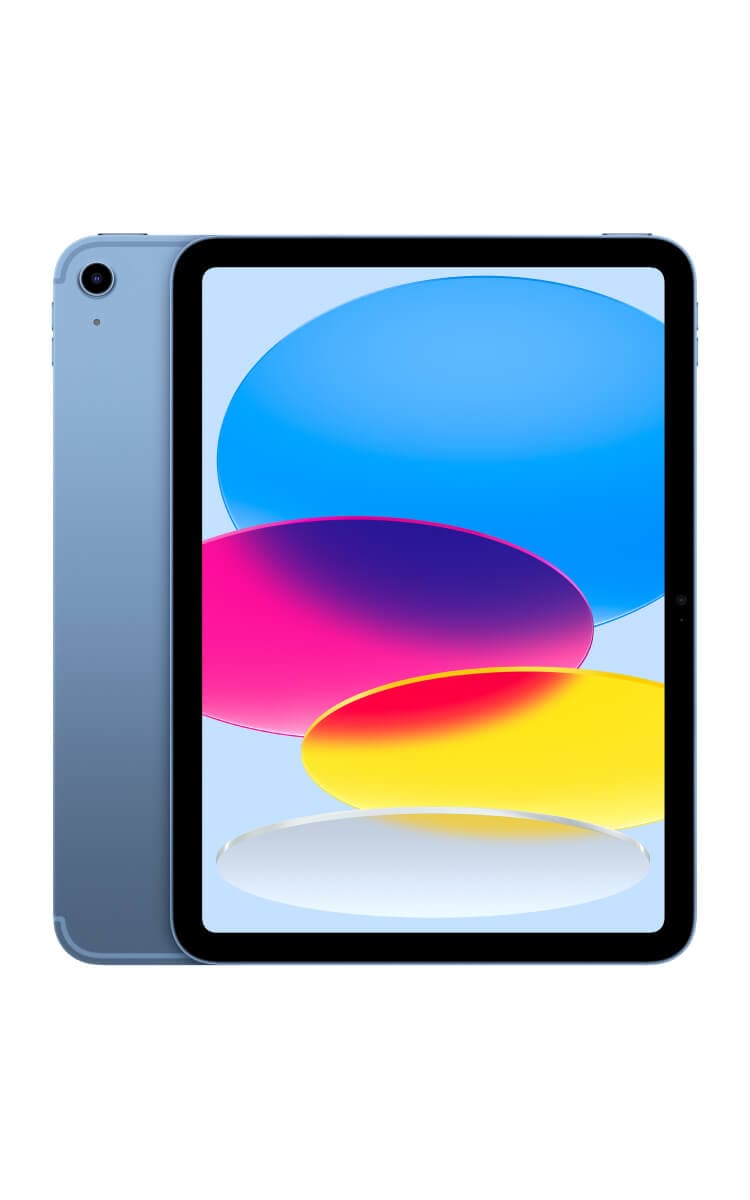
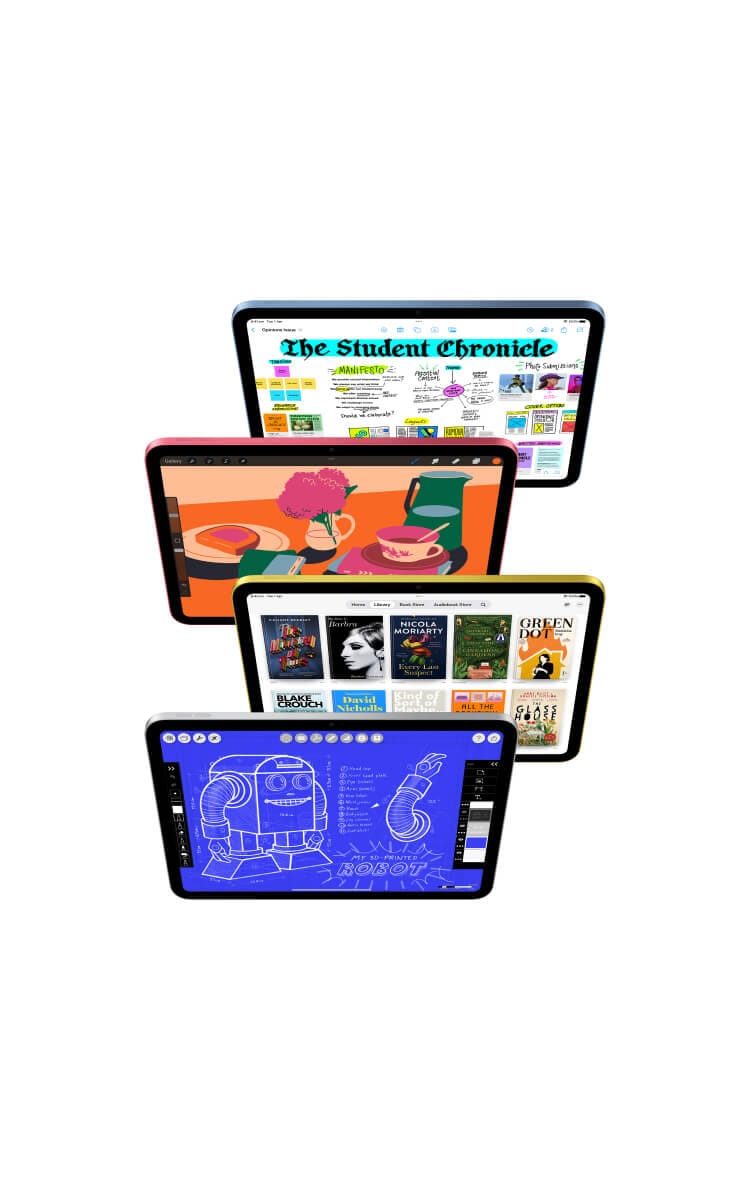
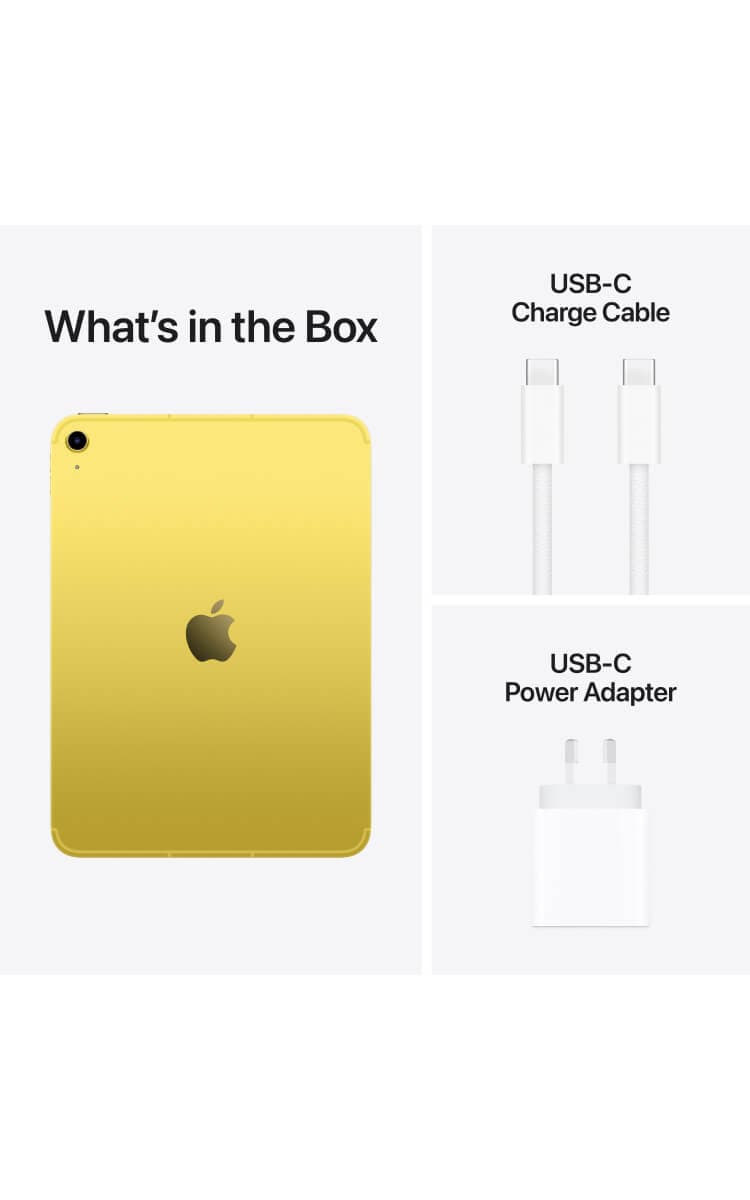
Yellow Apple iPad 11-inch (A16) with a sleek aluminum body, Liquid Retina display, and thin black bezels. The screen shows a colorful abstract wallpaper. The back features a single-lens camera and an Apple logo.Four Apple iPad 11-inch A16s in different colours displayed at various angles, showcasing different apps such as digital art, note-taking, reading, and design. With iPadOS, run multiple apps at once, use Apple Pencil to write in any text field with Scribble, and edit and share photos. Stage Manager makes multitasking easy.A person lounging on a brown leather couch, holding a pink Apple iPad 11-inch (A16). They are wearing a green and yellow striped sweater with dark pants, in a warmly lit room with a wooden cabinet and decorative objects in the background.Apple iPad 11th Gen comes with an 11-inch Liquid Retina display, 12MP Center Stage camera, A16 chip, Apple Pencil compatibility, and new 128GB storage option. Shows iPads in blue, pink, yellow, and silver."What's in the Box" heading showing the back of a yellow Apple iPad 11-inch (A16), a USB-C charging cable, and a USB-C power adapter.Blue Apple iPad 11-inch (A16) with a sleek aluminum body, Liquid Retina display, and thin black bezels. The screen shows a colorful abstract wallpaper. The back features a single-lens camera and an Apple logo.Four Apple iPad 11-inch A16s in different colours displayed at various angles, showcasing different apps such as digital art, note-taking, reading, and design. With iPadOS, run multiple apps at once, use Apple Pencil to write in any text field with Scribble, and edit and share photos. Stage Manager makes multitasking easy.A person lounging on a brown leather couch, holding a pink Apple iPad 11-inch (A16). They are wearing a green and yellow striped sweater with dark pants, in a warmly lit room with a wooden cabinet and decorative objects in the background.Apple iPad 11th Gen comes with an 11-inch Liquid Retina display, 12MP Center Stage camera, A16 chip, Apple Pencil compatibility, and new 128GB storage option. Shows iPads in blue, pink, yellow, and silver."What's in the Box" heading showing the back of a blue Apple iPad 11-inch (A16), a USB-C charging cable, and a USB-C power adapter.Pink Apple iPad 11-inch (A16) with a sleek aluminum body, Liquid Retina display, and thin black bezels. The screen shows a colorful abstract wallpaper. The back features a single-lens 12MP camera and an Apple logo.Four Apple iPad 11-inch A16s in different colours displayed at various angles, showcasing different apps such as digital art, note-taking, reading, and design. With iPadOS, run multiple apps at once, use Apple Pencil to write in any text field with Scribble, and edit and share photos. Stage Manager makes multitasking easy.A person lounging on a brown leather couch, holding a pink Apple iPad 11-inch (A16). They are wearing a green and yellow striped sweater with dark pants, in a warmly lit room with a wooden cabinet and decorative objects in the background.Apple iPad 11th Gen comes with an 11-inch Liquid Retina display, 12MP Center Stage camera, A16 chip, Apple Pencil compatibility, and new 128GB storage option. Shows iPads in blue, pink, yellow, and silver."What's in the Box" heading showing the back of a pink Apple iPad 11-inch (A16), a USB-C charging cable, and a USB-C power adapter.Silver Apple iPad 11-inch (A16) with a sleek aluminum body, Liquid Retina display, and thin black bezels. The screen shows a colorful abstract wallpaper. The back features a single-lens camera and an Apple logo.Four Apple iPad 11-inch A16s in different colours displayed at various angles, showcasing different apps such as digital art, note-taking, reading, and design. With iPadOS, run multiple apps at once, use Apple Pencil to write in any text field with Scribble, and edit and share photos. Stage Manager makes multitasking easy.A person lounging on a brown leather couch, holding a pink Apple iPad 11-inch (A16). They are wearing a green and yellow striped sweater with dark pants, in a warmly lit room with a wooden cabinet and decorative objects in the background.Apple iPad 11th Gen comes with an 11-inch Liquid Retina display, 12MP Center Stage camera, A16 chip, Apple Pencil compatibility, and new 128GB storage option. Shows iPads in blue, pink, yellow, and silver."What's in the Box" heading showing the back of a blue Apple iPad 11-inch (A16), a USB-C charging cable, and a USB-C power adapter.
Current image - Yellow Apple iPad 11-inch (A16) with a sleek aluminum body, Liquid Retina display, and thin black bezels. The screen shows a colorful abstract wallpaper. The back features a single-lens camera and an Apple logo.

iPad (A16)

Choose your colour:

All payments are interest free

In Stock FREE express delivery or collect in store. Learn more
$23.58/month
Select Device

Features | Specifications

  • Connect to Optus’ network on a Data Plan.
  • Work, stream, study, and play across multiple compatible devices with Data Sharing.
  • Unlock your creativity with advanced digital tools and resources, all at your fingertips.
  • Enjoy TV shows, games, e-books, and more on a big screen.

Choose your plan

10GB
$15/month

Small Choice Plus Data Plan

  • 5G network access

  • Data-sharing across eligible plans

  • No excess data charges

  • No lock-in contract

  • Access to Unlimited Data Day for an extra $6 a day

  • Save up to 10% on subscriptions every month

  • Netflix, Amazon Prime, Paramount+,BritBox, Microsoft,Youtube and more

All for use within Australia​

Critical Information Summary (PDF)
100GB
$35/month

Large Choice Plus Data Plan​

  • 5G network access

  • Data-sharing across eligible plans

  • No excess data charges

  • No lock-in contract

  • Access to Unlimited Data Day for an extra $6 a day

  • Save up to 10% on subscriptions every month

  • Netflix, Amazon Prime, Paramount+,BritBox, Microsoft,Youtube and more

All for use within Australia​

Critical Information Summary (PDF)

You've selected

iPad (A16)
Blue,128GB - 36 months
$23.58/month

Add a plan to proceed

Total

$23.58/month

Minimum cost $848.88. Includes device payments over 36 months and one month of your chosen plan fees.

Network Icon

Check out our Network Coverage available at your residential address and other critical locations before completing this order.

Why you should choose a value packed Optus Plan

Our network

Our combined 4G and 5G network covers 98.5% of Australians, and our 5G network is progressively rolling out. Check coverage.

Easy data sharing

Data sharing for your family! Combine eligible plans onto one account to share the data between devices.
FEATURES
Four iPad 11-inch A16s in silver, yellow, pink, and blue, fanned out in the background. In the foreground, an iPad 11 is attached to a white keyboard, displaying a colorful digital illustration on its screen. The text reads: "iPad. Lovable. Drawable. Magical." followed by a description "Jot it down. Type it up. Take it with you. iPad is made for all the activities you love."
Apple iPad 11-inch A16 image showcasing four bold colours—blue, pink, yellow, and silver—stacked in a fan-like arrangement. A front-facing iPad displays the home screen with vibrant app icons and widgets. The text highlights key features, including the A16 chip, 128GB starting storage, 11-inch Liquid Retina display, and compatibility with the Magic Keyboard Folio and Apple Pencil (USB-C & 1st generation). The tagline says "Even more joy in store."
Apple iPad 11-inch A16  attached to a white Magic Keyboard Folio, displaying a multitasking workspace with an article, notes, and diagrams. The tagline says "Make quick work of your work." It highlights the A16 chip, seamless app collaboration, and all-day battery life for efficient multitasking.
Yellow iPad 11-inch A16 with a close-up of its 12MP Wide back camera and an Apple Pencil positioned above it. The background includes a yellow brushstroke design. The tagline says "Create to your heart’s content." Express yourself, draw and brainstorm on an immersive display with Apple Pencil. Shoot, edit and share content, all on iPad. And create audio projects using the high-quality built-in mics and landscape stereo speakers.
Pink iPad 11-inch (A16) displaying a video call. The main screen shows two people dancing in a bright, modern space, while a smaller window in the corner shows another person on the call. The tagline "Get in touch. Stay in frame." highlights the 12MP Center Stage front camera for dynamic video calls. Additional text emphasises Wi-Fi 6 and 5G connectivity.
Yellow iPad 11-inch (A16) streaming a movie and a blue iPad 11 displaying a racing game with a video call overlay. The tagline "Watch. Learn. And level up." highlights the device’s capabilities for streaming, gaming, learning, and augmented reality (AR) experiences. The 11-inch Liquid Retina display is emphasised for its vibrant visuals and immersive performance.
Pink iPad 11-inch (A16) attached to a Magic Keyboard Folio, displaying a colorful digital document. The tagline "Accessories that go hand in hand." highlights compatibility with the Magic Keyboard Folio for typing and Apple Pencil (USB-C & 1st generation) for drawing, note-taking, and document markup.
Four iPad 11-inch A16s in different colors, each displaying various apps. The tagline "iPadOS and apps. Built in and beyond." emphasises the versatility of iPadOS for messaging, sharing content, and collaborative experiences with SharePlay. Icons highlight built-in apps and access to over 1 million apps on the App Store.
"Why iPad – There’s nothing quite like iPad." Easy to use: Intuitive Multi-Touch display for seamless interaction. Powerful: Supports apps like Microsoft 365, Adobe Photoshop, and graphics-intensive games. Portable: Thin, lightweight design with Wi-Fi, optional 5G, and all-day battery life. Versatile: Functions as a notepad, film studio, scanner, mobile office, and digital canvas."
White Magic Keyboard Folio attached to an iPad 11-inch (A16) displaying a colorful "Ancient Music" digital project. Beside it, an Apple Pencil, AirPods with a charging case, and a blue iPad cover are neatly arranged. The tagline says "Do even more with iPad."

◊ Legal Disclaimers

Accessories sold separately and subject to availability. Compatibility varies by generation. Apps are available on the App Store. Title availability is subject to change. Third-party software sold separately.

1The display has rounded corners. When measured diagonally as a rectangle, the 13-inch iPad Air is 12.9 inches. Actual viewable area is less.

2Apple Intelligence is available in beta on iPad mini (A17 Pro) and iPad models with M1 and later, with Siri and device language set to Chinese (Simplified), English (Australia, Canada, India, Ireland, New Zealand, Singapore, South Africa, UK, or US), French, German, Italian, Japanese, Korean, Portuguese (Brazil) or Spanish, as an iPadOS 18 update, with more languages coming over the course of the year, including Vietnamese. Some features may not be available in all regions or languages.

3Wi‑Fi 6E available in countries and regions where supported.

45G is available in selected areas and on selected plans. Speeds may vary by area and plan. Check Optus website for coverage.

5Battery life varies by use and configuration; see Batteries for more information.

6Available space is less and varies due to many factors. Storage capacity subject to change based on software version, settings and iPad model. 1GB = 1 billion bytes; 1TB = 1 trillion bytes. Actual formatted capacity less.

Four iPad 11-inch A16s in silver, yellow, pink, and blue, fanned out in the background. In the foreground, an iPad 11 is attached to a white keyboard, displaying a colorful digital illustration on its screen. The text reads: "iPad. Lovable. Drawable. Magical." followed by a description "Jot it down. Type it up. Take it with you. iPad is made for all the activities you love."
Apple iPad 11-inch A16 image showcasing four bold colours—blue, pink, yellow, and silver—stacked in a fan-like arrangement. A front-facing iPad displays the home screen with vibrant app icons and widgets. The text highlights key features, including the A16 chip, 128GB starting storage, 11-inch Liquid Retina display, and compatibility with the Magic Keyboard Folio and Apple Pencil (USB-C & 1st generation). The tagline says "Even more joy in store."
Apple iPad 11-inch A16  attached to a white Magic Keyboard Folio, displaying a multitasking workspace with an article, notes, and diagrams. The tagline says "Make quick work of your work." It highlights the A16 chip, seamless app collaboration, and all-day battery life for efficient multitasking.
Yellow iPad 11-inch A16 with a close-up of its 12MP Wide back camera and an Apple Pencil positioned above it. The background includes a yellow brushstroke design. The tagline says "Create to your heart’s content." Express yourself, draw and brainstorm on an immersive display with Apple Pencil. Shoot, edit and share content, all on iPad. And create audio projects using the high-quality built-in mics and landscape stereo speakers.
Pink iPad 11-inch (A16) displaying a video call. The main screen shows two people dancing in a bright, modern space, while a smaller window in the corner shows another person on the call. The tagline "Get in touch. Stay in frame." highlights the 12MP Center Stage front camera for dynamic video calls. Additional text emphasises Wi-Fi 6 and 5G connectivity.
Yellow iPad 11-inch (A16) streaming a movie and a blue iPad 11 displaying a racing game with a video call overlay. The tagline "Watch. Learn. And level up." highlights the device’s capabilities for streaming, gaming, learning, and augmented reality (AR) experiences. The 11-inch Liquid Retina display is emphasised for its vibrant visuals and immersive performance.
Pink iPad 11-inch (A16) attached to a Magic Keyboard Folio, displaying a colorful digital document. The tagline "Accessories that go hand in hand." highlights compatibility with the Magic Keyboard Folio for typing and Apple Pencil (USB-C & 1st generation) for drawing, note-taking, and document markup.
Four iPad 11-inch A16s in different colors, each displaying various apps. The tagline "iPadOS and apps. Built in and beyond." emphasises the versatility of iPadOS for messaging, sharing content, and collaborative experiences with SharePlay. Icons highlight built-in apps and access to over 1 million apps on the App Store.
"""Why iPad – There’s nothing quite like iPad."" Easy to use: Intuitive Multi-Touch display for seamless interaction. Powerful: Supports apps like Microsoft 365, Adobe Photoshop, and graphics-intensive games. Portable: Thin, lightweight design with Wi-Fi, optional 5G, and all-day battery life. Versatile: Functions as a notepad, film studio, scanner, mobile office, and digital canvas."
White Magic Keyboard Folio attached to an iPad 11-inch (A16) displaying a colorful "Ancient Music" digital project. Beside it, an Apple Pencil, AirPods with a charging case, and a blue iPad cover are neatly arranged. The tagline says "Do even more with iPad."

◊ Legal Disclaimers

Accessories sold separately and subject to availability. Compatibility varies by generation. Apps are available on the App Store. Title availability is subject to change. Third-party software sold separately.

1The display has rounded corners. When measured diagonally as a rectangle, the 13-inch iPad Air is 12.9 inches. Actual viewable area is less.

2Apple Intelligence is available in beta on iPad mini (A17 Pro) and iPad models with M1 and later, with Siri and device language set to Chinese (Simplified), English (Australia, Canada, India, Ireland, New Zealand, Singapore, South Africa, UK, or US), French, German, Italian, Japanese, Korean, Portuguese (Brazil) or Spanish, as an iPadOS 18 update, with more languages coming over the course of the year, including Vietnamese. Some features may not be available in all regions or languages.

3Wi‑Fi 6E available in countries and regions where supported.

45G is available in selected areas and on selected plans. Speeds may vary by area and plan. Check Optus website for coverage.

5Battery life varies by use and configuration; see Batteries for more information.

6Available space is less and varies due to many factors. Storage capacity subject to change based on software version, settings and iPad model. 1GB = 1 billion bytes; 1TB = 1 trillion bytes. Actual formatted capacity less.

SPECIFICATIONS
"Find the right iPad for you.  iPad Pro (M4) 13-inch – Ultra Retina XDR display, ProMotion, P3 wide color, True Tone, M4 chip, Apple Intelligence, 12MP Wide camera with 4K video, TrueDepth camera, supports Apple Pencil Pro and Magic Keyboard for iPad Pro. iPad Pro (M4) 11-inch – Similar features to the 13-inch model but in a smaller size. iPad Air (M3) 13-inch – Liquid Retina display, P3 wide color, True Tone, M3 chip, Apple Intelligence, 12MP Wide camera, Center Stage, supports Apple Pencil Pro and Magic Keyboard for iPad Air. iPad Air (M3) 11-inch – Same features as the 13-inch iPad Air, but in a more compact size. iPad (A16) – 11-inch Liquid Retina display, sRGB color, True Tone, A16 chip, Apple Intelligence, 12MP Wide camera, Center Stage, supports Apple Pencil (1st gen) and Magic Keyboard Folio."
TERMS AND CONDITIONS

Fair Go Policy applies.

5G capable:

This device is capable of working on the Optus 5G network, which is available in selected areas and on selected plans. Excludes NT. When not in a 5G coverage area, the device will switch to the Optus 4G network where it is available. For more details, check optus.com.au/5GCoverage.

How we calculate total minimum cost:

Your min. cost is the minimum total amount you will be required to pay, when you sign up to a SIM plan or a SIM plan with a device payment plan.

  • When you sign up to a month to month SIM plan without a device payment plan, your min. cost is one month of your SIM plan fee.
  • When you sign up to a month to month SIM plan (which includes a plan fee discount) without a device payment plan, your min. cost is one month of your discounted SIM plan fee.
  • When you sign up to a month to month SIM plan with a device payment plan, your min. cost is the cost of your device in full plus one month of your SIM plan fee.
  • When you sign up to a month to month SIM plan (which includes a plan fee discount) with a device payment plan, your min. cost is the cost of your device in full plus one month of your discounted SIM plan fee.
  • When you sign up to a month to month SIM plan with a device payment plan (which includes a device discount), your min. cost is the cost of your device in full (less one month of your device credit amount) plus one month of your SIM plan fee.
  • When you sign up to a month to month SIM plan (which includes a plan fee discount) with a device payment plan (which includes a device discount), your min. cost is the cost of your device in full (less one month of your device credit amount) plus one month of your discounted SIM plan fee.
  • When you sign up to a month to month SIM plan with an outright purchase, your min cost is one month of your SIM plan fee.

Device Discount:

If you have device discounts, they will apply for the duration of your payment plan. Device discounts are available as advertised for customers who purchase this device on an plan, as specified above. Discount applied over length of payment plan selected and applied from the first invoice for the device payment. The discount will be forfeited if the customer cancels, recontracts or changes to an ineligible plan, and the customer will have to pay out the remaining device payments excluding the device discount. See above for offer end date. If no date is specified, the offer is available until withdrawn.

Changes to Data Plans (month to month):

We may make changes to your month-to-month data plan, including to the price or inclusions. This could include moving you to a new plan, which may cost more. We’ll give at least 30 days’ notice of any increase to plan access fees, any data inclusion decrease or any plan moves. If you don’t like the change, you can choose a new plan (once per payment cycle) or cancel.

Data Plans (month-to-month):

If your plan is cancelled, there are no cancellation fees, but you will not receive a pro rata refund of charges paid in advance for the reminder of the payment cycle, unless otherwise provided in our standard agreement and subject to your consumer law rights. Related device payment plans (if applicable) will be cancelled, and you’ll have to pay out any remaining payments in full and any other charges owing as a one-off payment (if applicable), with any device credits or discounts forfeited (if applicable). You will be automatically charged via card once per month for recurring charges and any add-ons. You must maintain your card payment details or your plan will be cancelled.

No Excess Data Charges:

If data allowance is exceeded, your service will be slowed to a maximum speed of 1.5Mbps. 1.5Mbps is suitable for general internet browsing and music streaming, however some activities such as video streaming may see increased buffering and loading times. Usage while slowed is unmetered. Applies to data usage in Australia only.

Usage Alerts:

Usage alerts are typically real-time but delays of up to 48 hours may be experienced. You will receive alerts in Australia and while roaming overseas via your nominated email. However, you can change your preferred method of receiving usage alerts and service notifications anytime by visiting My Account. Learn more about usage alerts at optus.com.au/usage.

My Account:

Services that share data may have a service login to My Account which will display all service numbers contributing or using the shared data pool on the account. If you have more than 6 services you may not be able to use My Account to monitor usage or add/change alerts.

Optional extras for Tablet/Data plans:

Optional Extras are available on a month by month basis and do not form part of your plan. You may cancel them at any time. Optus may change or withdraw an optional extra at any time and we will try and give you at least 21 days prior notice of a change. If an optional extra is cancelled, changed or withdrawn, you will be liable to pay charges for the optional extra service that remain active until the relevant billing cycle ends and your plan will continue for the rest of its term.

Data Add-ons:

Each add-on can be added once per 24 hrs, per service. You can access your Data Add-ons as soon as you request it. You may automatically be charged via card on activation of the add-on, if no payment is made you will still have access to the add-on and the amount will be added to your next invoice. The inclusion of your Data Add-on is added to your data allowance. Data is counted in KB increments and includes uploads and downloads. Any unused data is forfeited and cannot be rolled over to your next payment cycle. Usage alerts are sent at 50%/85%/100% of your data via SMS or email. Add-on expires if data used or at end of payment cycle (whichever is first). Data can only be used in Australia.

Optus Daily Roaming:

Optus Daily Roaming add-on for $5 is automatically activated and is available on Consumer Choice Plus and Business Choice Plus mobile plans, Qantas plans and MBB plans in Zone 1 destinations. For Choice Plus, Business Choice Plus, Qantas plans with no Roaming inclusion, Qantas plans with expired roaming inclusion within 30 days and MBB data plans you will be automatically charged via card upon first usage in an eligible destination. If your payment fails you will need to check your payment details are correct, and all roaming usage will be restricted. Usage alerts are sent at 50%/85%/100% of your data inclusions. Optus Daily Roaming includes 5GB data as well as unlimited standard national talk and text in Zone 1 destinations or to Australia (standard national talk is not available with MBB plans). Optus daily roaming expires once the 5GB of data is used or once the add-on 24 hour duration has ended (whichever is first). If you continue to roam in eligible destinations, we’ll automatically add another 5GB to your service, and you will be charged $5 for the further add-on. Unused data expires. Eligible destinations are subject to change, see current list at optus.com.au/roam. Fair Go Policy applies.

Unlimited Data Day:

For use on mobile phones and tablet devices in Australia only. Fair Go Policy applies. Not for commercial use. Add-on may be withdrawn from sale without notice. Available for 24 hours from activation for eligible service only, no data sharing. Limit 1 Add-on per service at a time. Add-on may be withdrawn from sale without notice. You may automatically be charged via card on activation of the add-on, if no payment is made you will still have access to the add-on and the amount will be added to your next monthly invoice.

Coverage:

Coverage availability will vary depending on your device and location. 5G available in selected areas only (exc NT) and on selected plans. Compatible 5G device and plan required. Check coverage at optus.com.au/coverage.
ACCESSIBILITY

You can find free, independent, up to date information about telecommunication goods and services that are suitable for seniors and people with disabilities by visiting Accessible Telecoms (opens in a new tab) – use the search bar or follow the three steps. You can also get help finding a device with accessibility features that work best for you by visiting the Mobile & Wireless Forum Global Accessibility Reporting Initiative (GARI) (opens in a new tab).

Support

Frequently asked questions

How do I activate eSIM on my iPad?

Activating eSIM on your iPad is simple with the Apple Carrier Activation Method:

  • Turn on your iPad and connect it to Wi-Fi
  • Follow the prompts from your iPad to download eSIM

Note: Your Optus eSIM is tied to your EID (a unique serial number for your iPad) that we captured when we issued you your device.

For further information or support, please visit our eSIM Guide.

How do I keep track of my usage?

We'll send you usage alerts once you've reached approximately 50%, 85% and 100% of your shared included domestic data (in Australia only).

And, you can check usage by:

  • Visiting My Account
  • Downloading My Optus app

What is Data Sharing?

Data Sharing is perfect for families and for individuals with multiple mobile and mobile broadband services who want to share their data to get the most out of their data inclusions. Learn more.

Optus Choice Plus, Optus Choice Plus Data, Optus Plus Family and Optus Plus Kids plans do not data share with other plans.  Check your CIS document or My Optus app to check your plan.

What happens if I go over my plan's included data?

Great news - with our Endless Data feature, once you reach your shared data allowance, all services that share data on your account will continue to use data at maximum speeds of up to 1.5Mbps. A speed of 1.5Mbps is suitable for general internet browsing and music streaming, however some activities such as video streaming may see increased buffering and loading times.

We'll also send you usage alerts at 50%, 85% and 100% of your data limit - and, you can always see how your usage is travelling in My Optus app.

Can I access 5G network on an Optus Choice Data Plan?

On this data plan, you can access Optus 5G network at no additional cost, but a compatible device is required. The Optus 5G mobile network is currently available in selected areas of Australia (not NT). When not in 5G coverage area, the device will switch to Optus 4G network where it is available. Check out the Optus 5G mobile coverage map for the latest updates on our 5G network rollout.

    How do I change my rate plan?

    You can change to another eligible month-to-month plan once per payment cycle. If you change to another eligible plan and you also have a related device payment plan, your device payment plan will remain in place and your device payments will remain the same. To change your rate plan, you can contact us on 13 39 37, message us via My Optus app or visit us in store.

    Are there any cancellation fees on these plans?

    There are no cancellation fees. If you cancel your plan, you will need to pay out any remaining payments for the device if you have chosen a device payment plan option, plus all charges outside of your plan inclusions which have been incurred up until the end of the payment cycle in which the service was cancelled.

    How can I purchase a device?

    You can choose to purchase an eligible device with a Data Plan and pay for it over a selected term (over 12, 24 or 36 months) by monthly payments on a device payment plan. Alternatively, you can purchase an eligible device outright.

    Does this iPad come with Apple TV+?

    Yes it does. You will receive 3 months of Apple TV+ when you purchase this iPad. Subscription will auto rollover onto $12.99/month after 3 months. 1 per Family Sharing Group. Redemption required within 3 months of device activation. See apple.com/au/promo for more information.

    What is Optus Upgrade and Protect?

    Optus Upgrade and Protect is a $15/mth add-on available when purchasing a new mobile or tablet on a device payment plan that gives you access to early upgrade options, even if your device is damaged. Upgrade fees may apply depending on the condition of your device and months remaining on your device payment plan. You can cancel your subscription at anytime. Excludes outright purchases. Find out more.

    Can I purchase Optus Upgrade and Protect on this device?

    Optus Upgrade and Protect is available to new and recontracting mobile service customers who purchase a new device on an eligible 12, 24 or 36 month device payment plan with an eligible SIM plan. The add-on is available at online checkout to Optus Consumer and Business customers. This is not available for customers who purchase their device outright.

    Still have questions?

    Chat with us now

      Call 1800 700 749

      Download My Optus app

      Visit an Optus store

    More from Optus

    • My Optus App
    • SubHub
    • Accessories
    • Student Hub

    Customer Service

    • Contact Us
    • Help & Support
    • Store Locator
    • Payment Assistance Policy
    • Feedback & Complaints
    • Report a service outage

    About Us

    • About Optus
    • Careers
    • Corporate Information
    • Media Releases
    • About Singtel
    • Accessibility

    • Blog
    • Connect With Us on facebook
    • Connect With Us on instagram
    • Connect With Us on tiktok
    • Connect With Us on linkedin
    • Connect With Us on twitter
    • Connect With Us on youtube

    • Critical Information Summaries
    • Standard Agreement
    • Privacy, Security & Safety

    Connect with us

    • Blog
    • Connect With Us on facebook
    • Connect With Us on instagram
    • Connect With Us on tiktok
    • Connect With Us on linkedin
    • Connect With Us on twitter
    • Connect With Us on youtube
    • Critical Information Summaries
    • Standard Agreement
    • Privacy, Security & Safety
    © 2026 Singtel Optus Pty Limited
    Optus acknowledges the Traditional Custodians of the lands, waters and skies across Australia. We pay our respects to Elders past and present and honour the strength and continuity of the world's oldest living cultures.