Skip to Primary NavigationSkip to ContentSkip to Footer
  • Personal
  • Business
  • Enterprise
  • Deals
  1. Smartwatches>
  2. Google>
  3. Pixel Watch 5
Free Delivery
Interest Free Payment Options
Data Sharing
Our Network

Choose your watch & payment terms

New

Image gallery of Google Pixel Watch 5
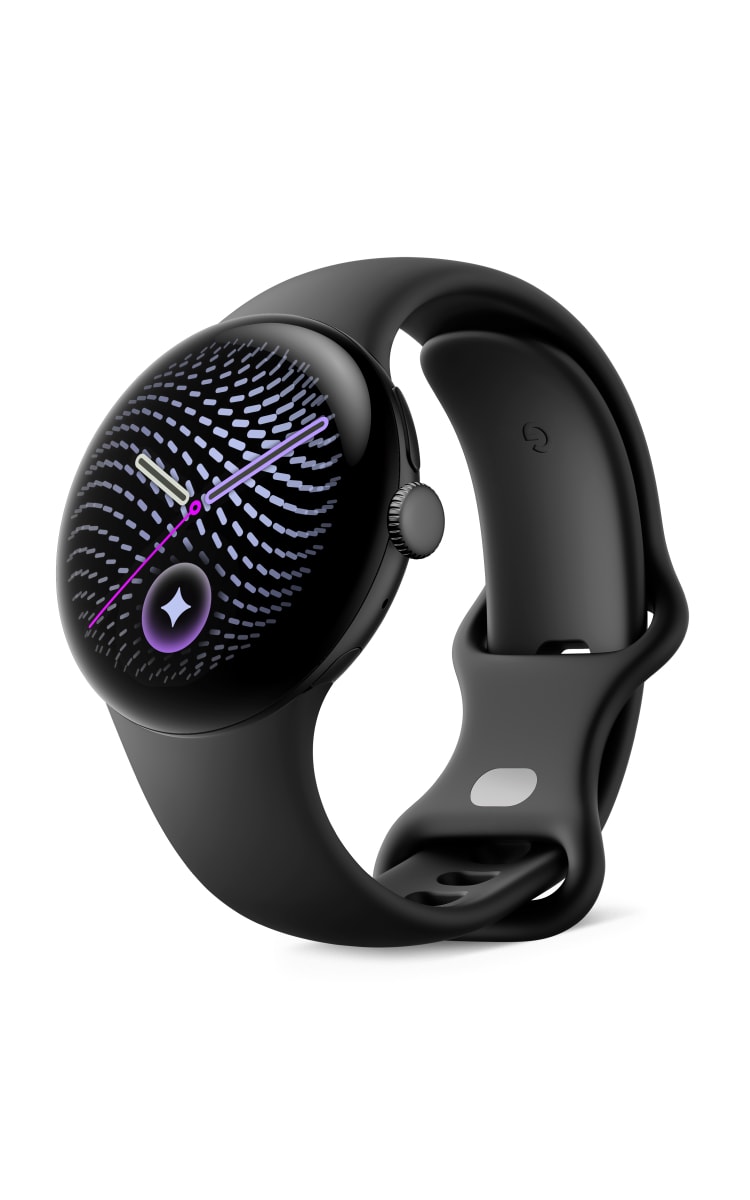
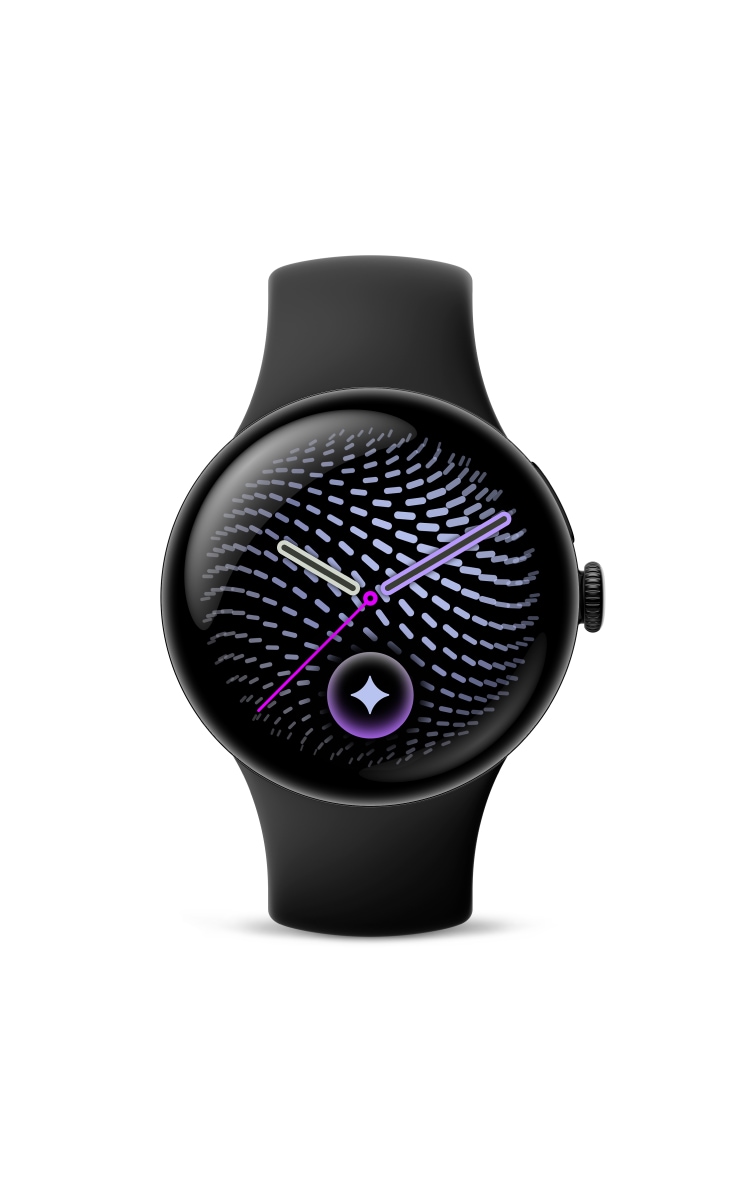
Google Pixel Watch 5 in matte black with a round edge-to-edge display showing a purple abstract watch face, black active band, shown at an angled view.Front view of the Google Pixel Watch 5 in matte black with a round edge-to-edge display showing a purple abstract watch face, black silicone band, and rotating crown.Side view of the Google Pixel Watch 5 in matte black with round display, circular side button and black silicon band.Rear angled view of the Google Pixel Watch 5 in satin pyrite with a green band, showing the heart rate sensor, charging contacts, and rotating crown.Google Pixel Watch 5 black band with adjustment holes and loop, shown vertically.Google Pixel Watch 5 in matte black with a round edge-to-edge display showing a purple abstract watch face, black active band, shown at an angled view.Front view of the Google Pixel Watch 5 in matte black with a round edge-to-edge display showing a purple abstract watch face, black silicone band, and rotating crown.Side view of the Google Pixel Watch 5 in matte black with round display, circular side button and black silicon band.Rear angled view of the Google Pixel Watch 5 in matte black with a black band, showing the heart rate sensor, charging contacts, and rotating crown.Google Pixel Watch 5 black band with adjustment holes and loop, shown vertically.Google Pixel Watch 5 in satin pyrite with a round edge-to-edge display showing a green abstract watch face, green active band, shown at an angled view.Front view of the Google Pixel Watch 5 in satin pyrite with a round edge-to-edge display showing a green abstract watch face, green silicone band, and rotating crown.Side view of the Google Pixel Watch 5 in satin pyrite with round display, circular side button and green silicon band.Rear angled view of the Google Pixel Watch 5 in satin pyrite with a green band, showing the heart rate sensor, charging contacts, and rotating crown.
Current image - Google Pixel Watch 5 in matte black with a round edge-to-edge display showing a purple abstract watch face, black active band, shown at an angled view.
Google

Pixel Watch 5

$23.02/month

Your new watch

Choose your model: 41mm
Choose your colour:
Obsidian

Customise your band

Choose your band: Active Band
Choose your band size:
S/L
Choose your band colour:
Obsidian

All payments are interest free

In Stock FREE express delivery or collect in store. Learn more
Select watch - $23.02 /month

Specifications

  • Get phone notifications direct to your smartwatch with Optus Number Share.
  • Track your physical activity and personal fitness goals while you're out and about.
  • Activate your smartwatch digital wallet and make payments on-the-go.

Choose your Plan

1GB
$10/month

Choice Plus Watch Plan

  • Plan inclusions:

  • Pair your phone with Number Share

  • Data-sharing across eligible plans

  • No excess data charges

  • No lock-in contract

  • Entertainment add ons:

  • Save up to 10% on subscriptions every month

  • Netflix, Amazon Prime, Paramount+, Kayo Sports, Binge, YouTube Premium and more

All for use within Australia

Critical Information Summary (PDF)

You've selected

Google Pixel Watch 5
41mm,Obsidian - 36 months
$23.02/month

Add a plan to proceed

Total

$23.02/month

Minimum cost $828.72. Includes device payments over 36 months and one month of your chosen plan fees.

Network Icon

Check out our Network Coverage available at your residential address and other critical locations before completing this order.

Why Optus?

Free delivery

Shop online and get free delivery nation-wide.

Network

Our combined 4G and 5G network covers 98.5% of Australians, and our 5G network is progressively rolling out. Check coverage.

Number Share

Share one mobile number between eligible devices. Enjoy the ease of taking your smart watch while leaving your phone behind.
SPECIFICATIONS
Operating System Name and Version
Wear OS 7.0
Display Size (in inches) + Type + (Pixel Density)
AMOLED LTPO, 320 ppi
3G Network Bands (Band & MHz)
B1/2/5/8
4G Network Bands (Band & MHz)
B1/2/3/4/5/7/8/12/13/17/18/19/20/25/26/28/66/71
LEO Device (Yes/No)
No
Manufacturer Warranty Duration (Mths)
24 Months
Dimensions (L x W x H)
41mm Variant: Height 12.3mm | 45mm Variant: Height 12.3mm
Weight (Grams)
41mm Variant: 31.0g (without band) | 45mm Variant: 36.7g (without band)
SIM Type
eSIM
Battery Capacity (in mAh)
41mm Variant: 332mAh (typical) | 45mm Variant: 465mAh (typical)
Removable Battery (Yes/No)
No
Fingerprint Sensor (Yes/No)
No
WiFi Bands
WiFi Bands Wi-Fi 802.11a/b/g/n/ac/ax 2.4 GHz, 5 GHz
WiFi Hotspot (Yes/No)
No
Bluetooth Version
6.0
NFC (Yes/No)
Yes
GPS (Yes/No)
Yes
TERMS AND CONDITIONS

Fair Go Policy applies.

How we calculate total minimum cost:

Your min. cost is the minimum total amount you will be required to pay, when you sign up to a SIM plan or a SIM plan with a device payment plan.

  • When you sign up to a month to month SIM plan without a device payment plan, your min. cost is one month of your SIM plan fee.
  • When you sign up to a month to month SIM plan (which includes a plan fee discount) without a device payment plan, your min. cost is one month of your discounted SIM plan fee.
  • When you sign up to a month to month SIM plan with a device payment plan, your min. cost is the cost of your device in full plus one month of your SIM plan fee.
  • When you sign up to a month to month SIM plan (which includes a plan fee discount) with a device payment plan, your min. cost is the cost of your device in full plus one month of your discounted SIM plan fee.
  • When you sign up to a month to month SIM plan with a device payment plan (which includes a device discount), your min. cost is the cost of your device in full (less one month of your device credit amount) plus one month of your SIM plan fee.
  • When you sign up to a month to month SIM plan (which includes a plan fee discount) with a device payment plan (which includes a device discount), your min. cost is the cost of your device in full (less one month of your device credit amount) plus one month of your discounted SIM plan fee.

No other discounts or bonus offers are factored into your min cost.

Changes to Plans (month to month):

We may make changes to your month-to-month data plan, including to the price or inclusions. This could include moving you to a new plan, which may cost more. We’ll give at least 30 days’ notice of any increase to plan access fees, any data inclusion decrease, or any plan moves.  If you don’t like the change, you can choose a new plan (once per payment cycle) or cancel your plan.

Optus Choice Plus Watch Plan:

Available to eligible new and recontracting customers who also sign up to a 12, 24 or 36 month eligible device payment plan with Optus. If you need to cancel your plan, there are no plan cancellation fees but you will not receive a pro rata refund for the remainder of the payment cycle, unless otherwise provided in our standard agreement and subject to your consumer law rights. Your related device payment plan will be cancelled and you'll have to pay out any remaining payments owing as a one-off payment with any device credits or discounts forfeited. You will be automatically charged via card on your monthly invoice date. You must maintain your card payment details or your plan will be cancelled. Limit of one Optus Choice Plus Watch plan per eligible device payment.

Device Payment Plans (OptusPay):

You must have an eligible Optus plan to add a Device Payment Plan. If you need to cancel your Device Payment Plan before the end of the agreed term, or you need to cancel your related eligible Optus plan during the Device Payment Plan term or you want to move to an ineligible plan during the Device Payment Plan term, then you’ll need to pay out the full remaining cost of your device. Device credits or discounts that Optus was going to cover do not apply in these cases. Limit of one related device payment plan per Data plan. You will be automatically charged via card on your monthly invoice date. You must maintain your card payment details or your plan will be cancelled.

Device Discount:

If you have device discounts, they will apply for the duration of your payment plan. Device discounts are available as advertised for customers who purchase this device on an plan, as specified above. Discount applied over length of payment plan selected and applied from the first invoice for the device payment. The discount will be forfeited if the customer cancels, recontracts or changes to an ineligible plan, and the customer will have to pay out the remaining device payments excluding the device discount. See above for offer end date. If no date is specified, the offer is available until withdrawn.

Optus Number Share:

Compatible connected wearable devices use Number Share functionality to access the Optus Mobile Network. The wearable device is not the same as a mobile phone and some network functionality is not available on these devices. Call quality may not be of the same standard as a mobile phone and may drop out in certain areas. Requires a compatible wearable device and compatible mobile phone with selected operating systems. Only available if you have or sign up to an eligible mobile phone plan and use your phone to sign up via the app. Your phone must have Voice over LTE (VoLTE) functionality which must be enabled on your device. If you cancel your Number Share Bolt-on or your mobile phone plan to which the bolt-on is attached, the number sharing functionality will not be available on your wearable device. Number sharing functionality is only available for use in Australia. Optus Number Share is a month-to-month option which is normally $5/mth but is available at no additional cost on the Watch plan. You will be automatically charged via card on your monthly invoice date. You must maintain your card payment details or your add-on will be cancelled.

No Excess Data Charges:

If shared data allowance is exceeded, all shared data services on your account will be slowed to a maximum speed of 1.5Mbps (suitable for general internet browsing and music streaming, however some activities such as video streaming may see increased buffering and loading times). Usage while slowed is unmetered. Applies to data usage in Australia only.

Usage Alerts:

Usage alerts are typically real-time but delays of up to 48 hours may be experienced. You will receive alerts in Australia and while roaming overseas via your nominated email. However, you can change your preferred method of receiving usage alerts and service notifications anytime by visiting My Account. To learn more about usage alerts, click here.

My Account:

Services that share data may have a service login to My Account which will display all service numbers contributing or using the shared data pool on the account. If you have more than 6 services you may not be able to use My Account to monitor usage or add/change alerts.

Coverage:

Coverage availability will vary depending on your device and location. Check coverage at optus.com.au/coverage.

Optional Extras For Optus Choice Plus Watch Plan:

Optional Extras are available on a month by month basis and do not form part of your plan. You may cancel them at any time. Optus may change or withdraw an optional extra at any time and we will try and give you at least 21 days prior notice of a change. If an optional extra is cancelled, changed or withdrawn, you will be liable to pay charges for the optional extra service that remain active until the relevant payment cycle ends and your plan will continue for the rest of its term.
Support

Frequently asked questions

Am I able to change my delivery address after I've made an order?

Once your order has been processed you won't be able to change your delivery address, so make sure to put in the correct address when placing your order.

    Can I change the colour or size of the Smart Watch I've ordered after I've placed my order?

    Making any changes to the size or colour of your Smart Watch after you've placed an order will result in a delay in receiving it, so please check your order before submitting it

    What identification details do I need when buying an Smart Watch?

    Whether you're ordering online, on the phone or in store, make sure to have your ID and employment details handy as we'll need them for the credit check to process your order.

    Do I need to be there when my Smart Watch is delivered?

    Yes, we'll need you to provide Proof of ID and sign for your Smart Watch when it's delivered. If you miss the delivery, your Smart Watch will be delivered to the closest post office for you to pick up.

      Are there any cancellation fees on the Connected Watch Plus Plan?

      There are no cancellation fees. If you cancel your plan, you will need to pay out any remaining payments for the device if you have chosen a device payment plan option, plus all charges outside of your plan inclusions which have been incurred up until the end of the payment cycle in which the service was cancelled.

      What happens to Number Share if you cancel your plan?

      If you cancel your plan and wish to continue using Number Share with your eligible mobile service, you will be charged $5/mth on your mobile service.

      If you no longer wish to use Number Share after you cancel your Watch plan, you will also need to cancel Number Share on your mobile service. To cancel your Number Share you can select to ‘remove Optus plan’ from the respective Watch application.

      How do you use Number Share on these new plans?

      Number Share is an option on your plan. You will need an eligible Optus mobile service and a compatible phone to use Number Share. Once you purchase your smartwatch, you will need to activate Number Share using the respective watch application. Once activated, you will receive cellular connectivity for your smartwatch.

      Still have questions?

      Chat with us now

        Call 1800 700 749

        Visit an Optus store

      More from Optus

      • My Optus App
      • SubHub
      • Accessories
      • Student Hub

      Customer Service

      • Contact Us
      • Help & Support
      • Store Locator
      • Payment Assistance Policy
      • Feedback & Complaints
      • Report a service outage

      About Us

      • About Optus
      • Careers
      • Corporate Information
      • Media Releases
      • About Singtel
      • Accessibility

      • Blog
      • Connect With Us on facebook
      • Connect With Us on instagram
      • Connect With Us on tiktok
      • Connect With Us on linkedin
      • Connect With Us on twitter
      • Connect With Us on youtube

      • Critical Information Summaries
      • Standard Agreement
      • Privacy, Security & Safety

      Connect with us

      • Blog
      • Connect With Us on facebook
      • Connect With Us on instagram
      • Connect With Us on tiktok
      • Connect With Us on linkedin
      • Connect With Us on twitter
      • Connect With Us on youtube
      • Critical Information Summaries
      • Standard Agreement
      • Privacy, Security & Safety
      © 2026 Singtel Optus Pty Limited
      Optus acknowledges the Traditional Custodians of the lands, waters and skies across Australia. We pay our respects to Elders past and present and honour the strength and continuity of the world's oldest living cultures.
