Skip to Primary NavigationSkip to ContentSkip to Footer
  • Personal
  • Business
  • Enterprise
  • Deals
  1. For You>
  2. Mobile>
  3. Number share | Optus

Enjoy life hands-free

When you pair a Watch plan with an eligible watch, mobile and SIM plan.

T&Cs apply

Learn More

What is Optus Number Share?

Optus Number Share gives you the flexibility to share one mobile
number between compatible devices on eligible plans. Enjoy the ease
of taking your smart watch while leaving your phone behind.

Live your best life

Benefits of a connected smart watch

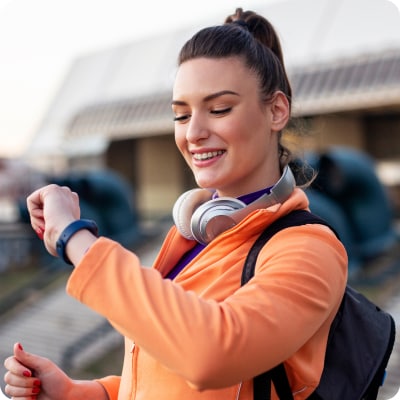
Stay fit and active

From indoor workouts to outdoor runs, track your fitness progress with ease without the extra weight of a phone.

Entertainment on the go

Stream and control your favourite music services, podcast channels and select apps straight from your watch. Headphones sold separately.

Stay in touch

Never miss a call or text from loved ones throughout the day without the need of your phone nearby.

Connecting your watch & phone


Step 1
Pair your devices

Enable Bluetooth on your compatible mobile and place your watch nearby.


Step 2
Activate Number Share

Apple users - Open the Watch app on your iPhone and select ‘Mobile’.

Samsung users - Open the Galaxy Wearable app and select 'Set up Mobile plan'.

Google users - Open the Wear OS by Google app and select 'Mobile Network' and 'set up a new profile'.

Next, follow the steps in our setup guide to complete the setup.


Step 3
Sit back and relax

Done. You’ll receive an SMS once your Number Share is activated.

Device compatibility on your number share

Apple

iPhone
  • Apple iPhone 6 or later with iOS 11 or later
Apple Watch

GPS + Cellular models only

  • Apple Watch 3 or later

Samsung

Galaxy Phone
  • Samsung Galaxy devices running Android version 5.0 or later and RAM 1.5 GB or over
Galaxy Watch

GPS + Cellular models only

  • Samsung Galaxy Watch or later
  • Samsung Galaxy Active 2 Watch or later
  • Samsung Galaxy Watch 4 Classic or later

Google

Google Pixel Phone
  • Google device or compatible Android phone running Android 8.0 or later
Google Pixel Watch

LTE Cellular models only

  • Google Pixel Watch 2 or later

Get started

Now that you know the ins and outs of Optus Number Share and device settings, you can browse our range of watches and phones below.

Browse our latest Watches 

Browse our latest Mobile Phones 

Why Optus?

No more bills

Set and forget with hassle free automatic payments. No more unexpected charges or bills ever again.

Interest-free payments

Get a new device and pay it off over time, interest free with OptusPay. Just add it to an eligible Optus plan and you're good to go.

Network

Our combined 4G & 5G network covers 98.5% of the Australian population. Check coverage.

Terms and conditions

Coverage: Coverage availability will vary depending on your device and location. Check coverage at optus.com.au/coverage.

Optus Number Share: Compatible connected wearable devices use Number Share functionality to access the Optus Mobile Network. The wearable device is not the same as a mobile phone and some network functionality is not available on these devices. Call quality may not be of the same standard as a mobile phone and may drop out in certain areas. Requires a compatible wearable device and compatible mobile phone with selected operating systems. Only available if you have or sign up to an eligible mobile phone plan and use your phone to sign up via the app. You phone must have Voice over LTE (VoLTE) functionality which must be enabled on your device. If you cancel your Number Share Bolt-on or your mobile phone plan to which the bolt-on is attached, the number sharing functionality will not be available on your wearable device. Number sharing functionality is only available for use in Australia. Optus Number Share is a month to month option which is normally $5/mth, but is available at no additional cost on the Watch plan when purchased with a compatible wearable device. You will be automatically charged via card on your monthly invoice date. You must maintain your card payment details or your add-on will be cancelled.

Critical Information Summary
Frequently asked questions

How does eSIM work?

Unlike a traditional SIM card, an eSIM (embedded SIM) is built into a device (e.g. smartwatch) that allows for an independent connection to our mobile network. A compatible connected wearable device is not the same as a mobile phone.

Some network functionality is not available on these devices, call quality may not be the same standard as a mobile phone and may drop out in certain areas. Some older devices do not support the LTE 700MHz spectrum (which is one of our 4G spectrums), and calls may drop out when you move from 4G coverage area whilst on a call. You will not have this issue with a wearable device from year make 2020 onwards.

How do I activate Number Share?

Follow the steps in our setup guide to activate a Number Share profile via your compatible mobile phone.

Where can I troubleshoot Number Share?

To troubleshoot issues relating to your watch setup process, please visit our Help & Support page.

How does messaging work on your connected smart watch when you don’t have your compatible phone with you?

Messages sent / received on the connected wearable device are sent to the handset and then to / from the selected contact, simply make sure you have:

  • Successfully activated Number Share
  • Both devices on (with enough battery)
  • Signed into the phone with an:
    - Apple ID for iPhone and Apple Watch
    - Samsung or Google Account for your compatible Android handset and Samsung Galaxy or Google Pixel Watch
  • Network reception on both devices

Messages are sent / received on the phone when the connected wearable device is within Bluetooth range.

More from Optus

  • My Optus App
  • SubHub
  • Accessories
  • Student Hub

Customer Service

  • Contact Us
  • Help & Support
  • Store Locator
  • Payment Assistance Policy
  • Feedback & Complaints
  • Report a service outage

About Us

  • About Optus
  • Careers
  • Corporate Information
  • Media Releases
  • About Singtel
  • Accessibility

  • Blog
  • Connect With Us on facebook
  • Connect With Us on instagram
  • Connect With Us on tiktok
  • Connect With Us on linkedin
  • Connect With Us on twitter
  • Connect With Us on youtube

  • Critical Information Summaries
  • Standard Agreement
  • Privacy, Security & Safety

Connect with us

  • Blog
  • Connect With Us on facebook
  • Connect With Us on instagram
  • Connect With Us on tiktok
  • Connect With Us on linkedin
  • Connect With Us on twitter
  • Connect With Us on youtube
  • Critical Information Summaries
  • Standard Agreement
  • Privacy, Security & Safety
© 2026 Singtel Optus Pty Limited
Optus acknowledges the Traditional Custodians of the lands, waters and skies across Australia. We pay our respects to Elders past and present and honour the strength and continuity of the world's oldest living cultures.