A Review of OPPO’s Find X3 Pro
If you’re part of the 4% of Australia that has an OPPO, you’re in the know on a phone company not many are. The Find X3 Pro swims in the same waters as flagships from Samsung and Apple, and has every right to be in your mind when you’re looking for a new phone, because it does have those premium features.
The OPPO Find X3 Pro was released in Australia on 1 April 2021 for pre-order, and for purchase on 13 April 2021.
The Find X3 Pro may not be the sexiest model name (to be honest, what phone model names are?), though it sure packs a punch. The vast majority of reviews we’ve read say this is a stunning flagship phone, with few, if any downfalls as compared to the more typical phones you think of when you think of pocket powerhouses, including using the latest Snapdragon processor at the time of writing – the Snapdragon 888.
One of the features I’m seeing for the first time on this phone is a 3MP “microscope” camera – basically if you feel like seeing what something looks like suuuper up close.
| Operating System Name and Version | ColorOS V11.2 based on Android 11 |
| Display Size (in inches) + Type + (Pixel Density) | 6.7’’ 1440x3216 QHD+ 120Hz AMOLED |
| Processor Speed (in MHz/GHz) and Core Count | Qualcomm SDM888 |
| RAM | 12GB |
| Internal Memory + Accessible Space | 256GB (About 230GB available for the user) |
| Expandable Memory (including max capacity) | N/A |
| Main Camera Resolution (in MP) | 50MP+50MP+13MP+3MP |
| Front-Facing Camera Resolution (in MP) | 32MP |
| Video Capture (Resolution @ Frame Rate) | 4K@60fps / 1080P@60fps |
| 3G Network Bands (in MHz) | Bands: 1/2/4/5/7/8/19 |
| 4G Band | FDD: 1/2/3/4/5/7/8/12/17/18/19/20/26/28/66 TDD: 38/39/40/41 |
| 5G Network Bands (in MHz) | NSA: n1/3/5/7/8/20/28/38/40/41/77/78/79/ SA*: n1/3/7/28/41/77/78/79 *please note that SA is currently not supported on the Optus network |
| Dimensions (L x W x H) | 163.4x74x8.3mm |
| Weight | About 193g (with battery) |
| SIM Type | eSIM + 4FF USIM |
| Capacity (in mAh) | 4500mAh (Typ) Li-Ion |
| Removable (Yes/No) | No |
| 3G Standby Time (in hours) | Up to 300 hours |
| 3G Talk Time (in hours) | Max WCDMA: 26 hours |
| Web Browsing Time (using cellular, in hours) | 35 hours |
| Video Playback (in hours) | 16 hours |
| Audio Playback (in hours) | 30 hours |
| WiFi Bands | 802.11 a/b/g/n/ac/ax |
| WiFi Hotspot (Yes/No) | Yes |
Is the Find X3 Pro waterproof?
No, the Find X3 Pro isn’t waterproof. It’s rated IP68 Water and Dust Resistance, which means it was tested under the following conditions: 1) immersed in still fresh water with a depth of 1.5 meters; (2) tested for 30 minutes; (3) no more than 5°C of difference between the water temperature and product temperature.
A reminder that liquid damage isn’t covered under warranty, so you still want to rescue your phone quickly if it gets wet or falls into a liquid.
Is there a headphone jack?
No, there’s no headphone jack. If you want wired headphones with the Find X3 Pro, you’ll need headphones compatible with USB-C. The Find X3 Pro comes with USB-C headphones in the box.
Is there expandable memory?
No, the Find X3 Pro doesn’t have expandable memory. The available internal memory for the Pro model is 256GB, with about 230GB available for the user.
The battery of this particular phone comes in at 4,500mAh, which, while a large battery capacity, is sometimes necessary for flagship phones just to make it through the day. So, what’s the verdict with the Find X3 Pro?
I’m a relatively light user of my phone (web browsing, some data-heavy apps like Instagram or Chrome, not regularly watching movies or playing games) and the Find X3 Pro lasted me about a day and a half before I had to charge, and with the fast charger was done in about 30 minutes, if not less.
The camera performance I’ll talk about separately a bit later, so we’ll talk about the video and sound performance here. With video, the darks were hard to differentiate indoors from the frame of the screen sometimes. Generally though, I feel like that’s the case for me and phone colours in general – the darks get muddy to my eye rather quickly. That being said, the video was crisp and without any issues around lag or pixilation as you may encounter on other devices with different processors.
Sound performance with the built-in speakers was a bit thin, not very strong once you got into the upper reaches or lower reaches of audible sound – when you got higher it got a bit tinny to my ear, and the bass felt a bit blown out – and given the tiny space in which phone manufacturers have to work with, to me, that’s the expected experience with built-in speakers on phones – less powerful sound than a TV or a movie theatre. I initially had issues with voice calling, and realised afterwards it was my own fault – I had my finger over the microphone! Once I realised that, no issues with voice calling, the other end could hear me loud and clear, and I had no issues with holding the lighter weight phone to my hear for long periods of time, either. That being said, the external speakers for video or otherwise were never terrible in the time I used it, just not amazing. So if you’re looking for a superb sound experience, use headphones that you’ve had good experiences with before.
If you’re looking for a benchmark test, GSM Arena and Android Authority both have benchmark test results available.
Qualcomm 888 mini profile
According to Qualcomm, the AI engine behind this 6th generation chip is completely rearchitected, with 16x larger shared AI memory than previous generations. They also boast advancements in smartphone technology with the ability to capture from 3 lenses simultaneously at “multi-gigapixel speeds with a triple ISP,” with video and image capture 35% faster than the 888’s predecessor.
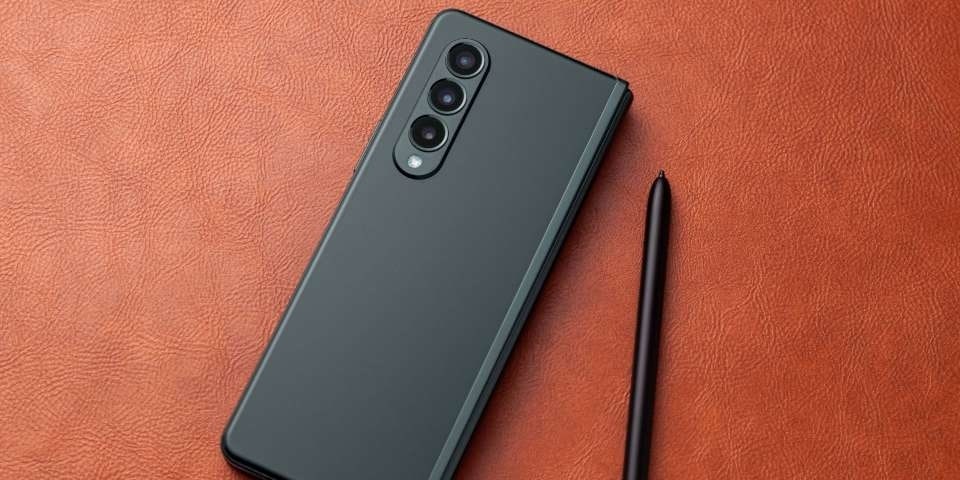
The design of the OPPO Find X3 series is inspired by spaceships, or as OPPO puts it, the phone family has “futuristic instincts”. It sure looks it, with a unique camera housing that isn’t so much a “bump” as it is a “arc.”
In device pictures I’d seen previously, the camera…arc seemed to be quite high-profile, like, say, the Samsung S20 Ultra. Holding it in my hand and seeing it in person, it’s really not that prominent at all – a few millimetres, at best. Not something I’ve noticed when setting down the phone. Plus, I’d imagine part of the reason why the camera housing is relatively low profile is because it would need to be for the microscope camera to be at all effective or compelling.
Photo of the back of the Find X3 Pro taken by the author
Photo of the profile of the Find X3 Pro taken by the author
The back of the device is a shiny, mirrored surface. Which means that even from a few minutes of holding it, you get fingerprint smudges all around. While it is a very pretty back – one you can literally see yourself in – for practical purposes a case for this phone probably makes sense.
The sample phone I received is in Gloss Black, though, to be honest, I haven’t really noticed it, as I’ve been using it with a case, and because phones are all screen these days…the colour just doesn’t register.
My everyday phone of the moment is an S20 Ultra, with a hard case, and weighing them in my hands against each other (the Find X3 Pro with a case as well), the difference in weight is palpable. The X3 Pro is quite light and doesn’t seem like it would give me any wrist strain when holding up to my ear for a call, as the S20 Ultra sometimes does.
While I have long fingers, the Find X3 Pro is narrow enough I’m able to wrap all fingers around, though that makes using thumb gestures slightly difficult for me. My default position, which feels comfortable here, is to balance the phone on top of my pinkie when looking at the display with the phone in my hand. Reaching up to the top of the screen with my thumb is difficult in that position, and I’ve yet to find a “small screen” mode as some other Android phones do to make it easier to reach the top of the screen with a single hand.
Photo of the front of the Find X3 Pro taken by the author
Main Camera Resolution (in MP) 50MP+50MP+13MP+3MP
Front-Facing Camera Resolution (in MP) 32MP
Video Capture (Resolution @ Frame Rate) 4K@60fps / 1080P@60fps
For a lot of us the cameras on a phone have become our new point-and-shoot (do young folks even know what a point-and-shoot camera is?!). So the camera is important. It’s often how we capture our most important moments, and our most cherished candids. So does the Find X3 Pro deliver?
In short, yes. Every phone manufacturer, like every camera manufacturer, likely has their considerations with how colour is interpreted, how things like white balance and saturation apply, how they choose focal length, how much light to let into the lens, when to auto flash and some of the more nuanced fiddly bits of how the camera works and how pixels are defined and created (for more advanced photogs).
So regardless, what photos you take on this phone won’t be exactly the same as what you take on your current phone because of the way different phone manufacturers interpret different considerations.
Daylight
Overall, this camera is a good performer in daylight, with the same processor used for the standard and wide angle lenses. I had a similar experience to other reviewers, where in broad daylight the pictures were a tad warmer than expected, and it was a noticeable difference to what my eye was seeing.
Overall with each lens and magnification in daylight, the photos were crisp and clear and got the job done. And if you’re a bit fiddlier about the warmth of an image or shutter speed, etc. there is a “Pro” mode.
Photo taken by the author using AI in daylight using the OPPO Find X3 Pro at 1x magnification
Photo taken by the author using AI in daylight using the OPPO Find X3 Pro using wide angle
Photo taken by the author using AI in daylight using the OPPO Find X3 Pro using 2x zoom
Low Light
Maybe because I don’t often use my phone camera at night, I wasn’t prepared for all camera shooting options at night to require you to keep your hand steady, not just in “night mode”. Personally, I prefer the darker images of “Photo” rather than “Night” mode, I think those are just my personal preferences, though. You can decide for yourself based on the photos I’ve taken.
Photo taken by the author using night mode (at night) on the OPPO Find X3 Pro at 1x
Photo taken by the author using standard photo mode without flash at night on the OPPO Find X3 Pro at 1x
Front facing
You can take a front-facing photo either in “Photo” mode or “Portrait” mode. Portrait mode allows you to set and control bokeh (the blurring of the background detail), whereas Photo mode does not. And be aware if you’re still on the default settings of the phone, once it detects a face, it will likely use it’s “AI beatification” filter, which does things like smoothing.
You can absolutely control this, for me it was unexpected – I took a few photos before I realised what was happening, and went in and reset it to “Natural”. If those setting interest you though, there are a lot on offer – thinner face, bigger eyes, etc…There are also a number of more standard filter options, like you would find on photo editing apps, like black and white and changing the colour saturation through a number of different pre-set filters.
Photo by the author using portrait mode on the Find X3 Pro
Photo by the author taken using standard photo mode with AI on the Find X3 Pro
Microscope lens
While there isn’t much practical use for this kind of lens, it did kind of make me feel like a kid again, exploring the apartment with a super-macro lens to see what things looked like under it.
The phone walks you through how to hold the device to get a microscope shot the first time you do it – essentially, it boils down to: put it up against the thing you want to shoot and then lift the lower end of the phone slightly away. It took me a few tries to get the hang of, but after that it was a breeze. Because it is such a detail-focussed lens, any movement will change what it is you’re shooting, so you’ll probably want to keep relatively steady.
A notepad with writing in pencil, taken with the micro lens by the author
A design of flowers on a notepad, taken with the micro lens by the author
The fabric of a chair, taken with the micro lens by the author
The display on the phone comes in at an impressive 120Hz dynamic refresh rate as the default “High” mode(which means that your scrolling and navigation switches between 5-120Hz depending on the activity). There are also some pretty exciting enhancements for both video recording and gaming:
- 01 Ultra Vision Engine: This supports video image sharpener and video colour enhancer features, and are unfortunately only compatible with select applications.
- O-Sync Display Hyper Response Engine: a long name for what is essentially a closer connection between the display and processor, allowing for less (if any) lag, by reducing the response time from 30-40ms to 5-10ms. Supported games include League of Legends Mobile and Call of Duty Mobile.
The colour levels on this phone are interesting too – OPPO uses 10-bit colour (most, if not all, other phones use 8-bit) which means there’s more colour depth and range when you’re using the phone.
For the everyday user, OPPO also has a brightness that recognises your surroundings (through some sort of sensor, one would assume) and adjusts both temperature and brightness to help protect your eyes.
Now, I’m not on the best of terms with what the proper definitions are for “Hertz” and “nits”, but I can definitely tell you, for me, on the default settings of the phone, this was snappy and responsive. And as someone who finds full brightness on phones (in most circumstances) overwhelming, the brightness and background AI brightness adjustments here weren’t a problem for me.
Overall, the operating system is smooth and mostly intuitive, especially if you’ve used Android operating systems before. While I didn’t encounter any issues with notifications, I did have some instances where apps would randomly close on me mid-use. Perhaps I was still getting used to the arrangement of the screen, or I was hitting an unknown shortcut command on the volume rocker, or something. It only happened a few times and wasn’t enough to put me off the phone.
This OS seems pretty minimal, with few duplicated apps aka bloatware (at least as far as I can tell) and also in terms of design and display, plus lovely rounded app icons. Though some of the settings menus were a bit overwhelming – I didn’t dive too far into those, preferring for the review to keep the default settings of the phone.
Storage
While there isn’t room for expandable storage, it’s a dual SIM phone - meaning there is the capability for 2 SIM cards – one physical SIM and one eSIM on the device available for plans through Optus.
The standard storage on the device is 256GB.
What’s in the box
When you purchase an OPPO Find X3 Pro with Optus, in the box is one of each: a. Screen protector (already pre-applied on the device) b. Wall charger c. Stereo headsets d. USB-C type cable e. Safety info, warranty card, quick guide f. SIM Card tool g. Protective case h. Recycle card
At the time of writing, the Optus device guide has yet to be published, for answers to all your questions about the Find X3 Pro, keep an eye on our OPPO device guide page for an update with the Find X3 Pro.