The Fold3, work/life flow and the tech that supports it
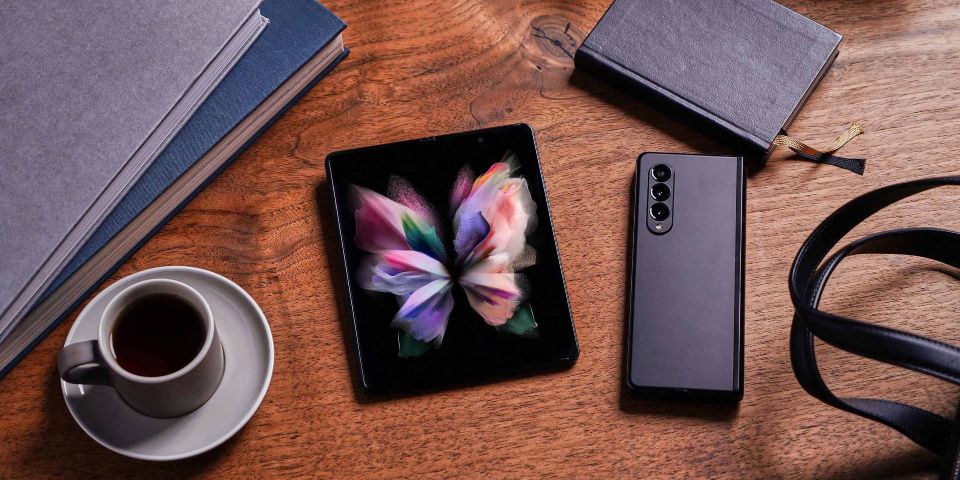
Samsung’s Galaxy Z Fold3 5G has entered the world into a 2021 in Australia that doesn’t quite look the way we expected it. And it’s a world that’s accelerated (and changed) the way we balance work and life over the last 18 months or so – one minute watching videos for a bit of relaxation and the next minute tucking into a few emails because it was back-to-back meetings all day and there wasn’t the time to actually get things done.
And the Galaxy Z Fold3 welcomes it all – is made for it all – whether you’re mobile gaming, taking notes while on a video call with your team, or water resistance to help ward off the oops when you spill your water on the counter (though of course always dry it quickly, water resistance doesn’t mean damage isn’t possible), or shopping for that blouse you saw your co-worker wearing in the last meeting you had of the day and you thought it’d look good on you too…
That being said, there are a few standout features of the Galaxy Z Fold3 that could particularly help you move and flow more seamlessly between life and work, spreadsheets and movies.
If you’ve used a foldable Samsung phone before, you’re probably familiar with multi-tasking, as it has been part of the phone experience in previous generations – for the Galaxy Z Fold3, it’s evolved.
App continuity is still an integral part of the phone experience too: it lets you keep working on the bigger internal screen the app you were using on the cover screen.
On the internal screen when fully opened, you can have 3 different apps open when multi-tasking, in either landscape or portrait – all with a simple swipe right or drag and drop. (Hot tip for all the folks who like to research before they buy–with the Galaxy Z Fold3 you can drag and split the same app on the internal screens – at least with the Internet. Though certain apps may not support multi-active window, more developers are expected to come on board).
Both the screen and the way the you can now navigate around your Galaxy Z Fold3 is built to make multitasking a whole lot easier (I mean, our lives are pretty much multi-tasking these days, so it makes sense). Some of what Samsung has done this generation includes:
- Worked with more apps to have native dimensions that fit the screen(s) of the Galaxy Z Fold3, including that oh-so-popular photo sharing app – 47 of the top 100 Play Store apps are optimised for the internal screen aspect ratio now
- You can take this optimisation even further using Labs on your phone and turning on “App Optimisation”
- Created a pinned taskbar function, so you can use your internal screens more like a laptop
- More intuitive interactions that fit the way your brain works, like the drag and split of the Internet
So take advantage of that big screen space, and rather than balancing different tabs and programs, fit those three things on your mind in one screen and breathe easy because you’ve been able to make a decision that much quicker, with the information at hand at a glance.
Flex wins for the hands-free life – from taking a selfie actually at a good angle and without the random line of your arm in the photo (or just being able to get a good angle for that video presentation to the boss; Flex works with some of the most popular corporate messaging apps)1, to being able to easily follow along to a recipe video without worry about how to prop up the phone in a messy kitchen, or double tap to open Notes and follow along with the ingredients; flex mode helps you be more flexible with your life.
Plus, if you want to use the phone hands-free when it’s fully open, there are several Galaxy Z Fold3 cases with stands you could take advantage of if you decide to buy one.
Whether you’re gaming, entertaining or working, the screen size of the Galaxy Z Fold3 is undeniable – a one-handed tablet, if you will.
Samsung has worked hard to continue to adapt the internal screens, from increasing their durability by redesigning the layer composition to adding an under-display camera, to a smoother scroll experience with adaptive scrolling and max 120Hz screen refresh rate.
And that’s not even touching on using the S Pen in so many different ways – including S Pen to text, lower latency from the previous S Pens, a Pro version that’s Bluetooth capable and compatible with other Samsung devices, and overall an S Pen built for a foldable screen experience in partnership with Wacom. Of course, the S Pens are sold separately, and are a very useful addition if you choose.
There’s a lot to be excited about how the Galaxy Z Fold3 can make our lives so much more seamless – find out more about the S Pen in the next article in our Foldables revealed series, or get a Samsung phone today.
 Share on Facebook
 Share on Twitter
 Share on LinkedIn