Skip to Primary NavigationSkip to ContentSkip to Footer
  • Personal
  • Business
  • Enterprise
  • Deals
  1. About Us/
  2. Specialist Care/
  3. Disaster Relief

Disaster relief

Helping you stay connected and supported
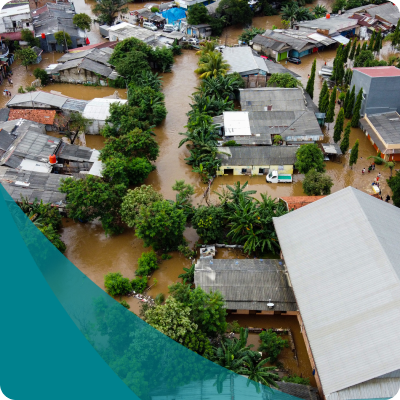
Disaster Support Resources

Support hotline

If you're a customer impacted by a disaster seeking support, call our hotline on .1800 507 581

Available 24/7

Network status

If you're in an area impacted by a natural disaster you may be experiencing disruptions to your Optus service, including calls, text, and internet access.

Check your network status .here.

Stay in touch

If your mobile or internet connection are lost we recommend you use TV, radio, or contact emergency services personnel in your area. Customers in impacted region can also visit our social media.

Troubleshooting tips

Experiencing network issues?
Try these troubleshooting tips for
mobile.and nbn

Staying connected

Here are some tips to help you be better prepared in an emergency:

  • Make sure your phone is fully charged
  • Conserve battery power where necessary by closing all unnecessary apps in the background and placing your phone power saving mode.
  • Visit our device guide for iPhone, Samsung and other devices.
  • Charge any mobile battery packs for extra back-up charge.
  • Back-up your data in the cloud so you don’t lose important personal photos and data.
  • Have your emergency phone numbers saved in your phone or written down.
  • Connect with a family member or friends outside of the impacted area before a weather event hits, including letting them know what your plans are, and your exact location.
  • Know the location of your local evacuation centre and emergency meeting spots along with the different ways to get there if roads are blocked during a disaster.

Optus is here to help

Dedicated support and financial assistance

For customers experiencing hardship, a range of .financial assistance and relief options.are available to all, including within the affected region.

Emergency contacts

See .Emergency Alert, the national telephone warning with the .Bureau of Meteorology.for your area.

Service disruptions

Stay .updated during major outages.with accurate, timely information.

FAQs

Who do I contact in a dangerous or emergency situation?

Your safety and wellbeing is always our number one priority. So, if you're in an emergency situation call 000 from your fixed line or mobile phone (or 112 from your Mobile).

These numbers work throughout coverage areas in Australia, no matter which service provider you're with, even if you've run out of Prepaid credit or have a restricted or suspended service. Please be advised there are some limitations on making emergency calls to Triple Zero on the VoLTE network. Visit the VoLTE article for more info.

What about emergency alerts / SMS? 

During emergencies like bushfires, floods or other extreme events; your landline and mobile phone may be used to deliver critical warning messages. These messages are a way for authorities to advise you of what to do during an emergency.

How do SMS emergency alerts work? 

Text messages are sent to you based on your last known location. Your location is updated when your mobile: 
Makes or receives a call; or 
Sends or receives an SMS; or 
Moves between a number of mobile network cells (your device has connected to a couple of mobile towers) 
If none of the above has occurred, your mobile phone's location is automatically updated by the network every 60 minutes. 

Who sends the warnings / alerts, is it Optus? 

No. Only authorised personnel from emergency service organisations such as police, fire and related state emergency services can use the emergency alert system to send warning messages.

For more information on SMS and landline emergency alerts see the Australian Government's Emergency Alerts website.

How do I report a fault during an emergency?

Before reporting a fault with your Optus service, please remember, your safety comes first. Only contact us when it’s safe for you to do so. To report a fault/outage contact us here

If you have noticed a potential hazard with Optus equipment see this article 

If you have noticed a potentially unsafe or dangerous situation that involves Optus equipment, for example, Optus cable or wires have come down, etc. You don’t have to be an Optus customer to report a hazardous situation to us.

How do I check for outages and mass service disruptions? 

Outages 
You can visit our service & network status page to check for any known outages or service disruptions to our Mobile, Broadband and Fixed Phone networks in your local area. 

Just enter your city / suburb name to stay up-to-date on any planned repairs, maintenance or outages in your area. The network status and service page can be found at www.optus.com.au/networkstatus. 

Mass service disruptions 
If an area / region has been officially declared as part of a mass service disruption, it will be published on this page on the Optus website and in major newspapers. 

More information on mass service disruptions and the Customer Service Guarantee (CSG) can be found here. 
 

What should I expect from Optus during a mass service disruption? 

Optus will work to resolve any service disruptions as quickly as possible. However, during times of mass disruption like floods, bushfires and other extreme conditions it can sometimes take longer than expected.   


There are a number of reasons why these delays can occur: 

  • The safety of the general public and that of our technicians are always our primary concern 
  • Both the size and the location of a mass service disruption directly impact the time taken to rectify services 
  • Local network infrastructure that requires repair may not be accessible due to hazardous conditions or as access has been restricted by emergency services or other government agencies 
  • There may be a need for other utilities to restore services such as mains power, first 
  • We may need to restore the 'backbone' of the region's network before we can work in a local area. As local mobile base stations, exchanges and other network facilities require connecting or supporting infrastructure to be up and running before more localised facilities can resume normal operations 

More from Optus

  • My Optus App
  • SubHub
  • Accessories
  • Student Hub

Customer Service

  • Contact Us
  • Help & Support
  • Store Locator
  • Payment Assistance Policy
  • Feedback & Complaints
  • Report a service outage

About Us

  • About Optus
  • Careers
  • Corporate Information
  • Media Releases
  • About Singtel
  • Accessibility

  • Blog
  • Connect With Us on facebook
  • Connect With Us on instagram
  • Connect With Us on tiktok
  • Connect With Us on linkedin
  • Connect With Us on twitter
  • Connect With Us on youtube

  • Critical Information Summaries
  • Standard Agreement
  • Privacy, Security & Safety

Connect with us

  • Blog
  • Connect With Us on facebook
  • Connect With Us on instagram
  • Connect With Us on tiktok
  • Connect With Us on linkedin
  • Connect With Us on twitter
  • Connect With Us on youtube
  • Critical Information Summaries
  • Standard Agreement
  • Privacy, Security & Safety
© 2026 Singtel Optus Pty Limited
Optus acknowledges the Traditional Custodians of the lands, waters and skies across Australia. We pay our respects to Elders past and present and honour the strength and continuity of the world's oldest living cultures.