Samsung Galaxy Z Fold4 full review
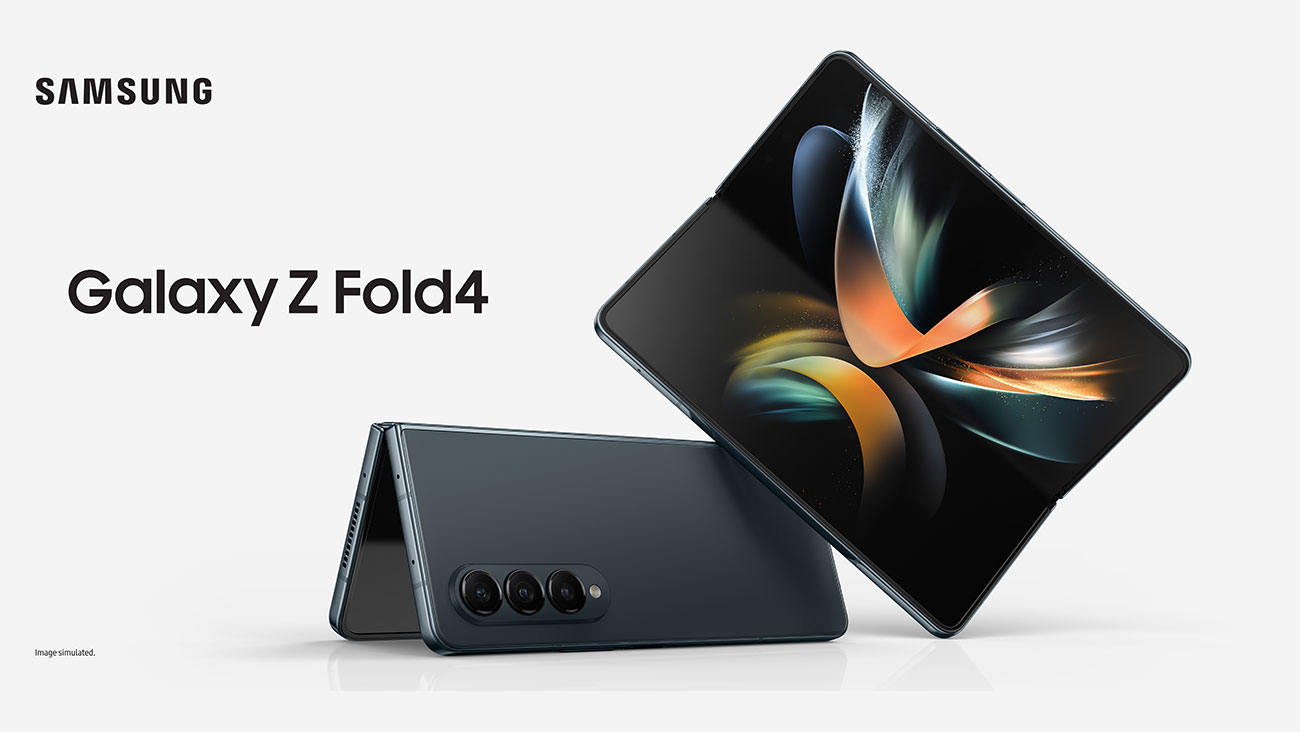
Image credit: Samsung
There’s been a lot of excitement around Samsung’s Flip and Fold phones for their unique design and use capabilities and I was keen to review the Galaxy Z Fold4 in particular.
You can order your own Galaxy Z Fold4 from Optus on an eligible plan and pay interest free device payments with OptusPay.
In this article I review the Z Fold4. You can also check out my review on Galaxy Z Flip4.
Samsung’s gone to great lengths to make the Galaxy Z Fold4 a phone that absolutely kills it in the multitasking department. That is not all – with a 50MP beast of a camera at the back, the Galaxy Z Fold4 also caters to the inner creative artist in you.
The Galaxy Z Fold4 is a phone I was more than happy to show off at work and to my friends. It is also the first sample phone I do not feel like returning. With slimmer bezels, sleek display, great audio and photography – Samsung has clearly outdone itself when it comes to its latest foldable. Standards are high with the Galaxy Z Fold4.
Galaxy Z Fold4 Pros:
- Sturdy and solid in design
- Slimmer bezels, slightly lower size and less rounded hinges
- A great phone for multitasking with taskbars, multi window feature
- Smooth and rich user experience supported by a 120Hz refresh rate.
- Great battery life [1] [2]
- S Pen compatible [3]
- Great camera and photography experience with a 50MP main camera lens
Galaxy Z Fold4 Cons:
- Hard on the pocket. (It does not have to be though – you can also buy the Galaxy Z Fold4 on an eligible plan and pay interest free device payments with OptusPay.)
- While lighter than Fold3, the Z Fold4 is still heavier and wider than your typical smartphone when unfolded.
- The crease is still visible as is the under the display camera
Z Fold4: First impressions
My first memory of a foldable phone is of Nokia E90 used by my father for work. I often used to “borrow” the phone while he was asleep, pretending to be my father and conducting “important” business on it.
We’ve come a long way from Nokia E90 but what made me fall in love with the Fold4 is it still makes me feel important and grown up.
The vibe of the Fold4 is very different from that of the other foldable – Galaxy Z Flip4. Where the Z Flip4 is meant to be fun and trendy, the Fold4 means business.
From the outset, the experience and features, especially some of the new ones, give the impression of power and being awesome at what you do. The Z Fold4 is a phone for people who are looking for substance as much as style. I can imagine a broker using the Z Fold4 to settle multi-billion dollar deals, or an executive using it to stay on top of her work while travelling across the world to a meeting.
The Z Fold4 is a tad thinner and shorter than its predecessor - the Z Fold3. Z Fold4’s also a bit lighter at 263 grams vs Fold3’s 270 grams. That said, the Z Fold4 is heavier as compared to your average smartphone. I used the phone lying on my bed and after a while started to notice the weight a bit, ended up accidentally dropping it on my head (yes, it did hurt).
The hinge on Z Fold4 is thinner than before and less rounded. The bezels too are slimmer on both screens, giving you more screen real estate.
Folded, the phone is pretty easy to hold in one hand, owing to the fact that it is narrower than a typical smartphone.
Galaxy Z Fold4 folded is slimmer than before with a less thick hinge, making the more compact.
The Galaxy Z Fold4 has a massive 50MP wide-angle rear camera, a huge improvement from the Z Fold3’s 12MP.
At the back, Z Fold4 features a triple camera, one at the front and another under the hood when unfolded. There’s plenty to know in terms of camera features but that’s for later.
The Galaxy Z Fold4 passes my four corner test: I can easily reach all four corners of the phone using one hand. Unsurprisingly, it does not do too well with the jeans side pocket test (but then which phone does).
Unfolded, the Galaxy Z Fold4 transforms from a phone to a mini laptop[4]. I won’t say I did not notice the Z Fold4 crease, your eyes just automatically go there but it does feel gentler on the eyes, unlike the previous generations of Samsung foldables.
The Galaxy Z Fold4 screen is wider due to slimmer bezels with a gentler crease.
Folding and unfolding feels a little stiff but I am assuming this gets better with time and use. At the moment, I need both hands to unfold the Z Fold4.
The outer display[5] features a 6.2 inch cover screen HD+ Dynamic AMOLED 2X panel with a 23.1:9 screen aspect ratio. Watching content on the cover screen does feel different since it is narrower in width than my smartphone but it’s not a “bad” different.
The inner display screen opens up to a whopping 7.6 inch QXGA+ Dynamic AMOLED 2X panel with a 21.6:18 screen aspect ratio.
The Galaxy Z Fold4 refresh rate is 120Hz, perfect for gaming and video content. Coupled with the 7.6 inch inner display screen, gaming becomes an even more immersive experience.
I enjoy reading and use my phone quite a lot for that. The Galaxy Z Fold4 unfolded makes for a great reading device. The wider screen really helps enhance the overall experience. I did not feel I was reading from a phone.
Did the crease diminish my phone experience? No. When you’re getting a foldable device, the crease is a sort of given, in my opinion.
What can be done is making it less painful to the eye. Samsung’s been trying really hard in that department, it seems. The crease does not impact my take on the Galaxy Z Fold4. On the contrary, I do feel a sense of awe knowing the screen’s made of glass and yet can bend like an acrobat.
Galaxy Z Fold4 Display Pros:
- Dynamic AMOLED screen panels on both the outer and inner screens
- 120Hz refresh rate gives a superior performance while switching apps, browsing and gaming.
- Richer, colourful and contrasting content viewing experience.
Galaxy Z Fold4 Display Cons:
- The crease is still visible
- Some apps may not fit the unusual aspect ratio
The camera is one of the most exciting updates in the Galaxy Z Fold4 – it packs a triple camera lens system at the back. The main camera lens is 50MP along with a 10MP 3x optical telephoto lens. Similar to Z Fold3, the third camera is a 12MP ultrawide lens.
The 50MP camera lens is the same as in the Samsung S22 and an upgrade from Galaxy Z Fold3’s 10MP.
There’s also the under the hood camera lens with a 4MP resolution. I feel the visibility (or invisibility in this case) has improved a bit from Z Fold3 especially when viewing content. But like the crease, the camera does show a bit. I feel it is unfair to expect it not to (can’t make it 100% invisible, right?).
Galaxy Z Fold4 Camera Cons:
- The under the display camera on the inner screen is still visible
Samsung Galaxy Z Fold4 has Android 12 (Android 12L). Android 12 was announced by Samsung in October 2021 and with the Z Fold4, it is the first time we’re seeing it deployed on a phone as opposed to tablets.
What does that really mean for you? The first striking thing to note with the Galaxy Z Fold4 Android 12 is the native taskbar. Z Fold4 has a taskbar at the bottom of the screen – the same way you have one on your laptop. Some things to note:
- The left half of the Z Fold4 taskbar is taken up by some recommended apps (which can be customised)
- On the right hand side, the Z Fold4 taskbar has the apps you’ve recently accessed.
- On the extreme left of the taskbar, Z Fold4 also has an icon via which you can access all apps with a single click.
- You can create app combinations you want to open together and save them in the taskbar.
The task bar is a set feature in the Galaxy Z Fold4 and makes it easy to access apps instantly.
Personally I love the addition of the taskbar – I can switch apps in a jiffy, open multiple apps using the multi window feature, do things using lesser finger strokes than on a typical smartphone. All of these things add to the multitasking experience that form an integral part of the Fold4.
The second thing to note is the Galaxy Z Fold4 keyboard which is split into two parts. I have mixed feelings about this. It took me a while to get used to - my ergonomic keyboard is also split but still feels more intuitive than the split keyboard on the Z Fold4.
I am more of a swipe to write person when typing on my phone and so there was a certain getting-used-to curve with the Fold4 split keyboard.
Having said that, I do understand why Samsung’s done it. Had the Galaxy Z Fold4 keyboard not been split, my fingers would not have been able to reach the middle of the screen - inconvenient.
On the outer display, I feared I would find it tougher to type given the narrow size but that was not the case. In Flex Mode, typing on the Fold4 keyboard feels like using my laptop although I do admit the smaller size makes using both hands a tad tight.
Galaxy Z Fold4 Cons:
- Some apps don’t fit well in the unusual Fold4 inner screen
- Takes time to get used to the split keyboard
Equipped with 12GB of RAM, Qualcomm Snapdragon 8+ Gen1 chipset and Samsung’s software, the Galaxy Z Fold4 is a beast.
Using the Z Fold4 was a very smooth and rich experience – the phone literally does almost everything that a laptop would do – even more when you realise you don’t have to carry a bulky laptop around on your back.
I used the Z Fold4 to attend meetings, edit powerpoint presentations, present them to my manager, make notes. Outside of the office, I used Whatsapp, Google Maps, calendar, YouTube, camera, accessed social media extensively. And the Z Fold4 handled all of that without batting an eyelid.
With Z Fold4, having a multi window experience is not just limited to being able to open up two or three screens together. What is really amazing are the capabilities to play around with it.
Z Fold4 Multi window features #1: If there is a pair of apps you frequently use, you can add it to your Z Fold4 taskbar or home screen or even the Z Fold4 panel on the edge.
Z Fold4 Multi window features #2: You can switch the order of the apps. You can even transform the apps layout – instead of having both apps open horizontally side by side, you can have them vertically one above the other.
Z Fold4 Multi window feature #3: With the Z Fold4, you do not need to have a 50:50 split between both apps – you can open one of your apps in full size and then superimpose the second app in a smaller size.
Z Fold4 Multi window feature #4: Using the Galaxy Z Fold4 multiple window feature, you can also adjust the transparency of the app that superimposes on the other so you can look at all the details on the first app.
The 120Hz refresh rate does put a bit of strain on Z Fold4 battery but with adaptive refresh rate, you have the option to reduce it to conserve battery.
It took about an hour and 10 minutes to charge the Z Fold4 from scratch.
I tried a bit of gaming too on the Z Fold4 to see battery usage. While gaming in itself was a delight in terms of the screen size and graphics, it did put a bit of a drag on the battery but was not something that I would be concerned about.
A reminder: There is no charger in the box.
S Pen compatibility in the Galaxy Z Fold 4 is the cherry on the cake[8]. Galaxy Z Fold4 is compatible with both the S Pen Fold edition stylus and bluetooth-capable S Pen Pro but the S pen has to be bought separately. A note: Samsung states that the S Pen support remains limited to the main inner screen.
Productivity enhancement and multi-tasking are clear themes in the Galaxy Z Fold4, and S Pen compatibility bolsters that image. Using the S Pen you can take notes – whether in meetings or creating a to-do list for yourself. S Pen can also be used to add comments to documents, write emails and so much more.
In fact, using your S Pen you can handwrite a message or email on the Galaxy Z Fold4 as if you would do on a paper, and then convert it to text. If in Flex Mode on your Galaxy Z Fold4, you would be able to handwrite on the lower half.
Also there isn’t a slot on the Z Fold4 to hold the stylus either. So if you are planning to buy the S Pen, it might be a good idea to invest in a Galaxy Fold4 case with a slot for the S Pen stylus.
The Samsung Galaxy Z Fold4 is now available with Optus. Order today and enjoy interest free device repayments on an eligible plan with OptusPay.
Technical Specifications
Galaxy Z Fold4 Operating System Name and Version Android 12
Display Size (in inches) + Type + (Pixel Density) Main display: FHD+ (2640 x 1080) Cover: (512 x 260)
Processor Speed (in MHz/GHz) and Core Count Qualcomm SM8475 Screen size Main: 7.6" Infinity Flex Display Dynamic AMOLED 2X Adaptive 1 ~ 120Hz Refresh Cover: 6.2” Display Dynamic AMOLED 2X Adaptive 48 ~ 120Hz Refresh
RAM 12GB
Internal Memory + Accessible Space 512GB
Rear Facing camera Megapixels 50MP OIS (Wide, F1.8) 10MP OIS (Telephoto, F2.4) 12MP (Ultra Wide, F2.2)
Front Facing camera Megapixels Main: 4MP (F1.8) Under Display Camera Cover: 10MP (F2.2)
Video Capture (Resolution @ Frame Rate) 4K Video Recording
3G Network Bands (in MHz) B1(2100),B2(1900),B4(AWS),B5(850),B8(900)
4G Band FDD: B1(2100), B2(1900), B3(1800), B4(AWS), B5(850), B7(2600), B8(900), B12(700), B13(700), B17(700), B18(800), B19(800), B20(800), B25(1900), B26(850), B28(700), B32(1500), B66(AWS-3) TDD: B38(2600), B39(1900), B40(2300), B41(2500)
5G Network Bands (Band & MHz) FDD: N1(2100), N2(1900), N3(1800), N5(850), N7(2600), N8(900), N12(700), N20(800), N25(1900), N28(700), N66(AWS-3) TDD: N38(2600), N40(2300), N41(2500), N77(3700), N78(3500)
Dimensions (L x W x H) 155.1 x 130.1 x 6.3mm (Unfolded) 155.1 x 67.1 x 15.8 ~ 14.2mm (Folded)
Weight 254g
SIM Type Single SIM + eSIM
Battery 4,400mAh (Typical)
3G 4G Supported Yes
5G Enabled Device Yes
GPS Yes
NFC Yes
Bluetooth/Connectivity Yes
Audio Formats MP3, M4A, 3GA, AAC, OGG, OGA, WAV, AMR, AWB, FLAC, MID, MIDI, XMF, MXMF, IMY, RTTTL, RTX, OTA, DFF, DSF, APE
Video Formats MP4, M4V, 3GP, 3G2, AVI, FLV, MKV, WEBM
Angelique Thakur works with Optus. She loves to play around with gadgets and is a dog lover. She also enjoys going on hikes and annoying her partner.
* Storage Upgrade Offer Offer available with the purchase of a Samsung Galaxy Flip 4/ Fold 4 made between 11/08/22 – 01/09/22 in an eligible Optus channel. On eligible purchases, get the 512GB for the advertised price of the 256GB variant, or 256GB for the advertised price of the 128GB, as relevant. See www.samsung.com/au/offer/galaxy-z-series-offer/retail-store/terms/ for full T&Cs. If purchased on a device payment plan which is subsequently cancelled, the customer will have to pay out the remaining cost of the device on a pro-rata basis. New & existing consumer and business customers (excl. TechFund and Fleet). Max 5 per account.
**Bonus Tablet offer Offer available with the purchase of a Samsung Galaxy Flip 4/ Fold 4 made between 11/08/22 – 01/09/22 in an eligible Optus channel. Customers will be eligible to receive one Samsung Galaxy Tab A8 Grey 64GB per eligible device, max. 5 per account. New & existing consumer and business customers (excl. TechFund and Fleet). If tablet is out of stock it may be delivered separately.
[1] Typical value tested under third-party laboratory condition. Typical value is the estimated average value considering the deviation in battery capacity among the battery samples tested under IEC 61960 standard. Rated (minimum) capacity is 4275mAh. Actual battery life may vary depending on network environment, usage patterns and other factors.
[2] 25W Travel Adapter or Fast Wireless Charger required and each sold separately. Charging takes approximately 85 minutes.
[3] S Pen Fold Edition and S Pen Pro sold separately.
[4] Compared to previous Galaxy Fold devices
[5] Measured diagonally, the front screen size is 6.2" in a full rectangle and 6.1" accounting for the rounded corners and the inner screen is 7.6” in full and 7.4” accounting for rounded corners.
[6] Typical value tested under third-party laboratory condition. Typical value is the estimated average value considering the deviation in battery capacity among the battery samples tested under IEC 61960 standard. Rated (minimum) capacity is 4275mAh. Actual battery life may vary depending on network environment, usage patterns and other factors.
[7] 25W Travel Adapter or Fast Wireless Charger required and each sold separately. Charging takes approximately 85 minutes.
[8]S Pen Fold Edition and S Pen Pro sold separately.
Optus innovation: World firsts, Australia firsts and more
23 October 2026
We’re proud of our innovation, with our world firsts and Australian firsts focused on how we improve the experience for our...
Should I buy a foldable phone?
16 October 2026
Interested in buying a foldable phone? Here are some things to keep in mind when you’re shopping around for a device.
Should I buy a smartwatch for my kid?
6 October 2026
A smartwatch can be an awesome gadget for a child, particularly if you want to keep in contact with them or be sure of wher...